

Made for Notion

Made for Notion

Streamline Operations,
And Scale With Clarity

Streamline Operations,
And Scale With Clarity

Streamline Operations,
And Scale With Clarity

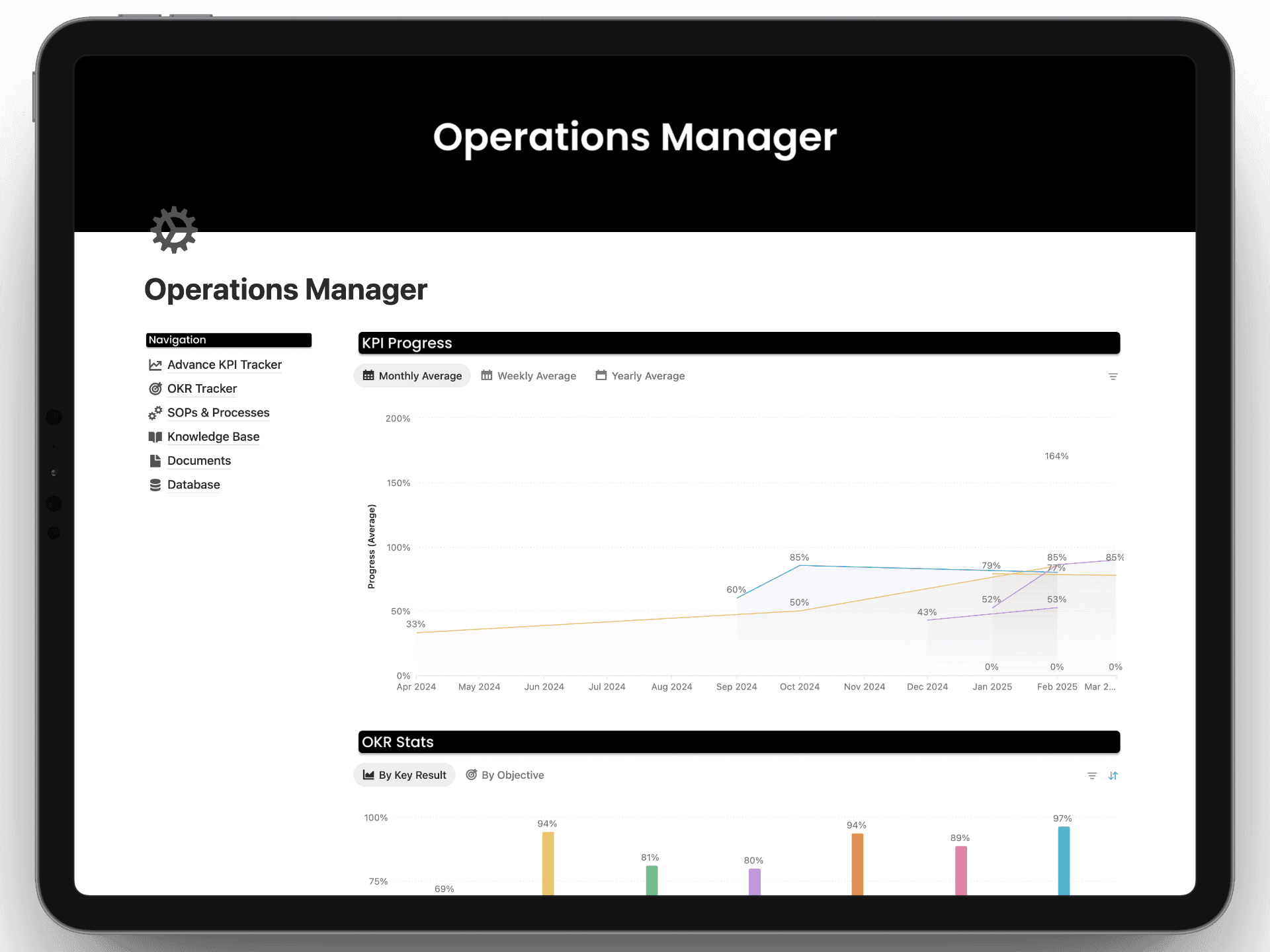
Track and visualize KPIs with advanced metrics, align your team around Objectives and Key Results with built-in project tracking, and document your workflows through SOPs and process libraries

Track and visualize KPIs with advanced metrics, align your team around Objectives and Key Results with built-in project tracking, and document your workflows through SOPs and process libraries

Get Instant Access

Features

Features

Features

Features That You Have Never Seen in Notion

Features That You Have Never Seen in Notion

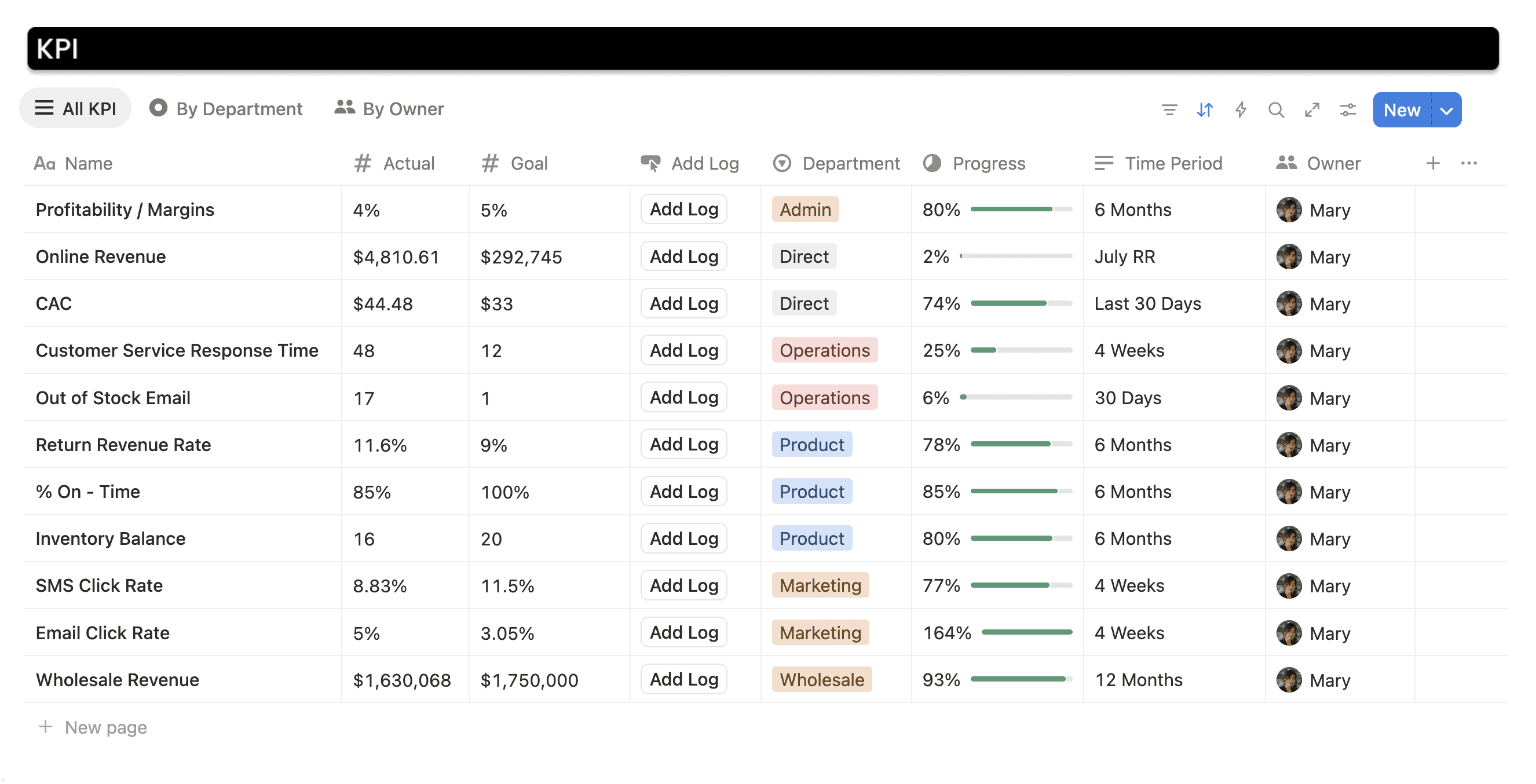
Track Percentage, Currency & Numbers in the Same Column

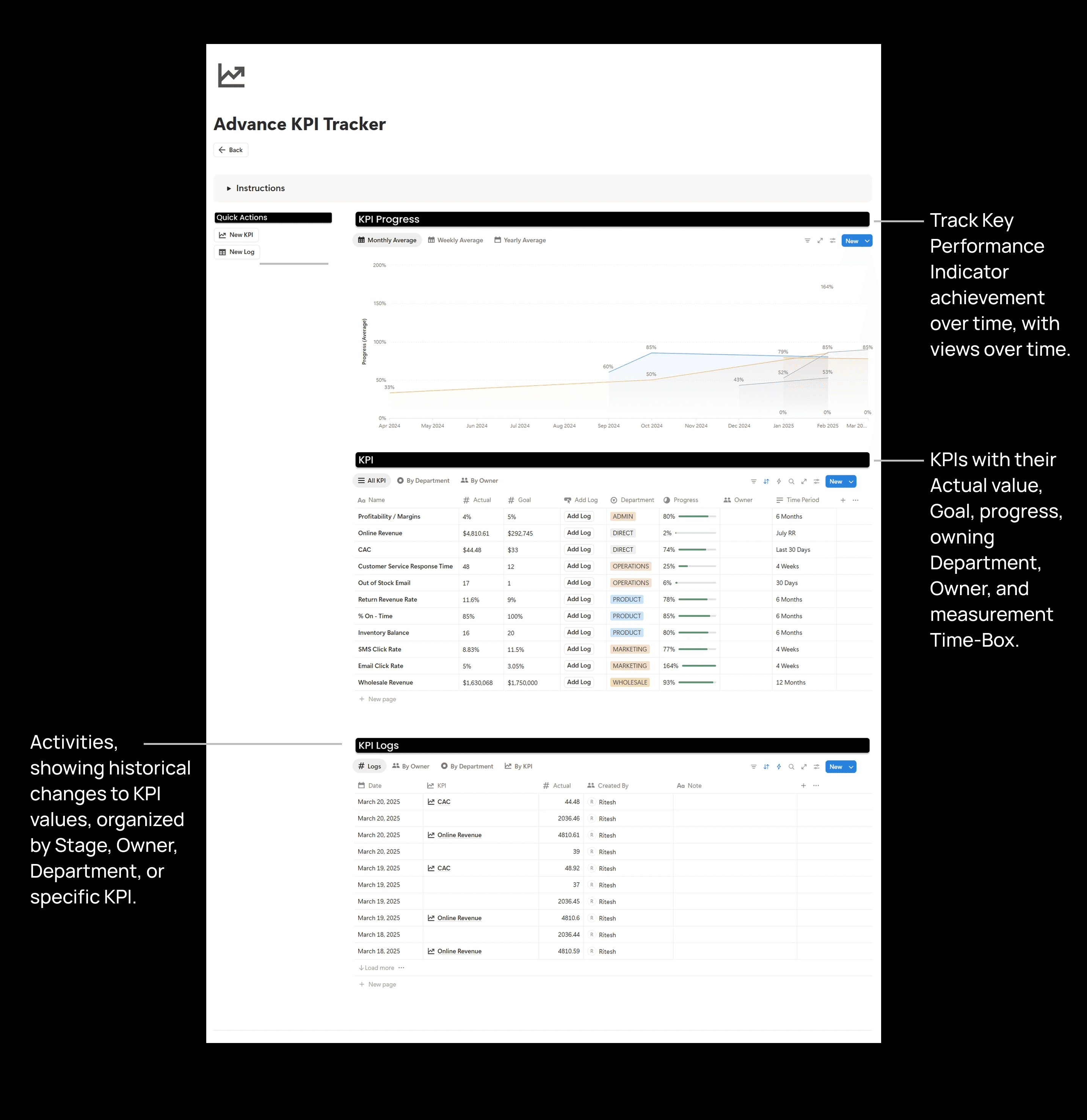
  • Track KPIs as a percentage, currency, or a number in the same column!

  • Shows the sum, the latest value, and the average value for each KPI.

  • The progress bar works with the KPIs that you want to reduce or increase

  • Historical charts are available in weekly, monthly, quarterly, and yearly formats
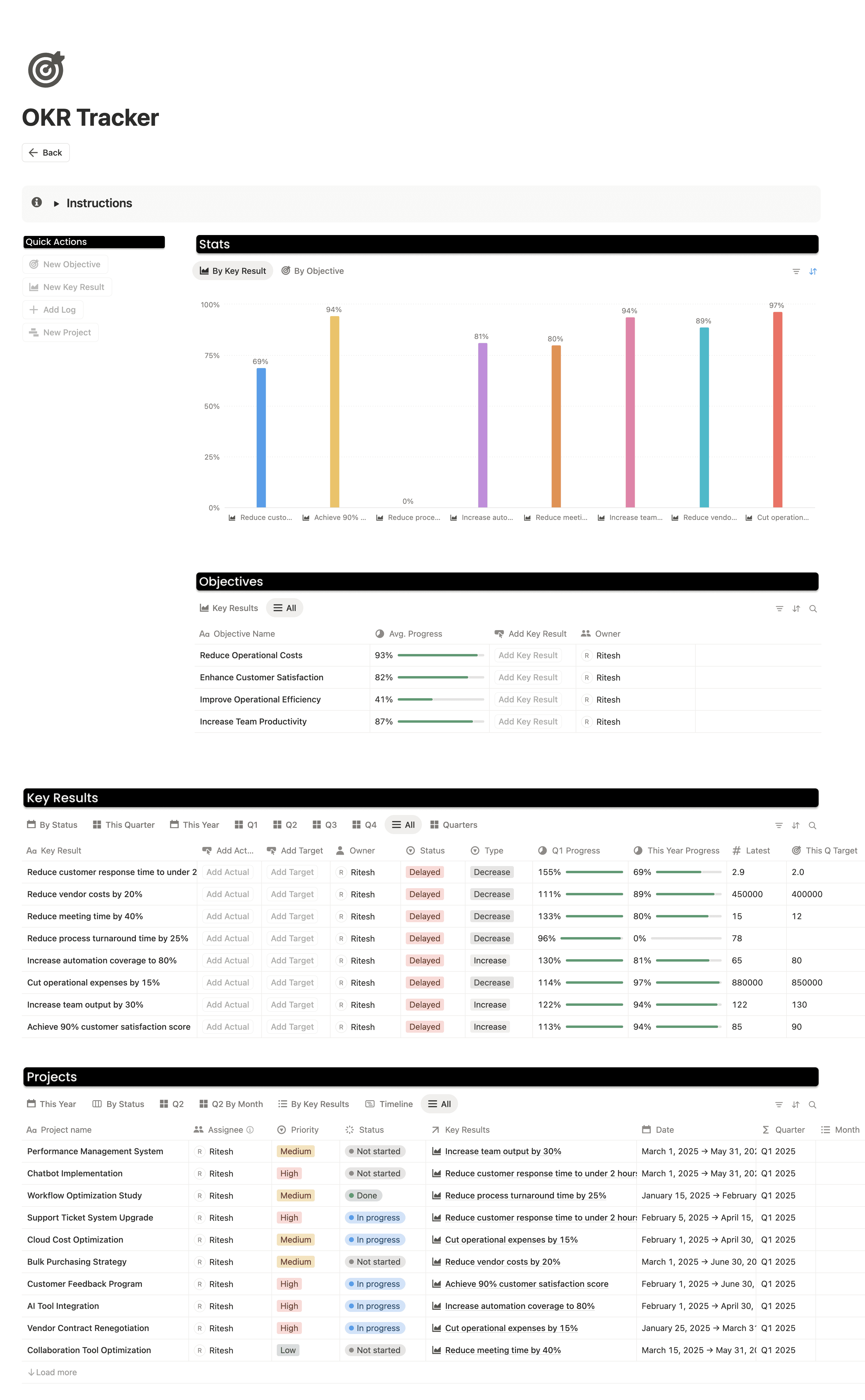
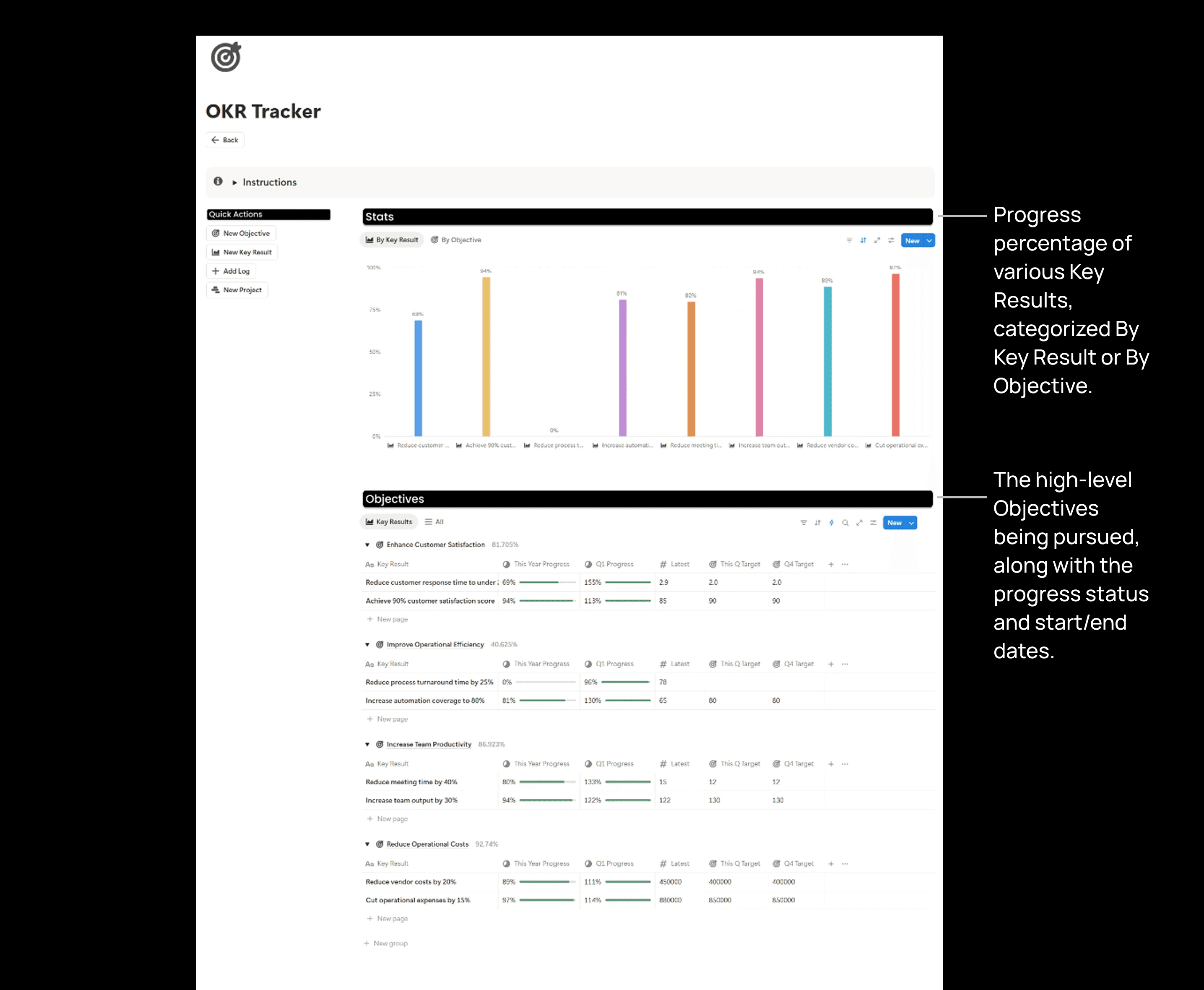
Track OKRs with Projects

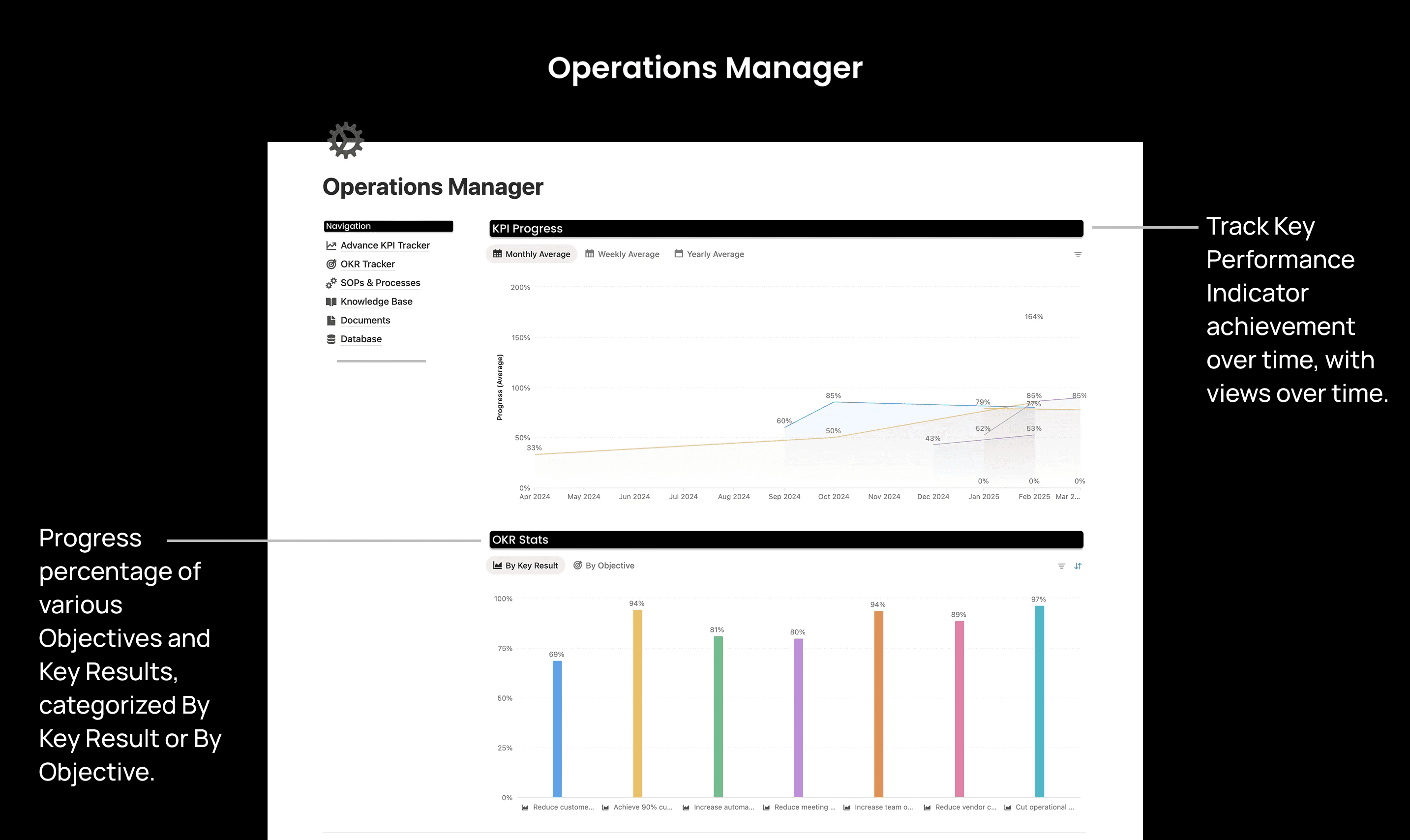
Align your team around objectives and key results with a complete goal-setting framework. Create objectives with measurable key results, track progress with actual vs. target data logging, link related projects to key results, and visualize achievement across quarters and months.
What's inside

What's inside

What's inside

The Homepage

The Homepage

The Homepage

Advance KPI Tracker

Advance KPI Tracker

Advance KPI Tracker

OKR Tracker

OKR Tracker

OKR Tracker

Additional Pages

Additional Pages

Additional Pages

Beyond the Surface

Beyond the Surface

Beyond the Surface

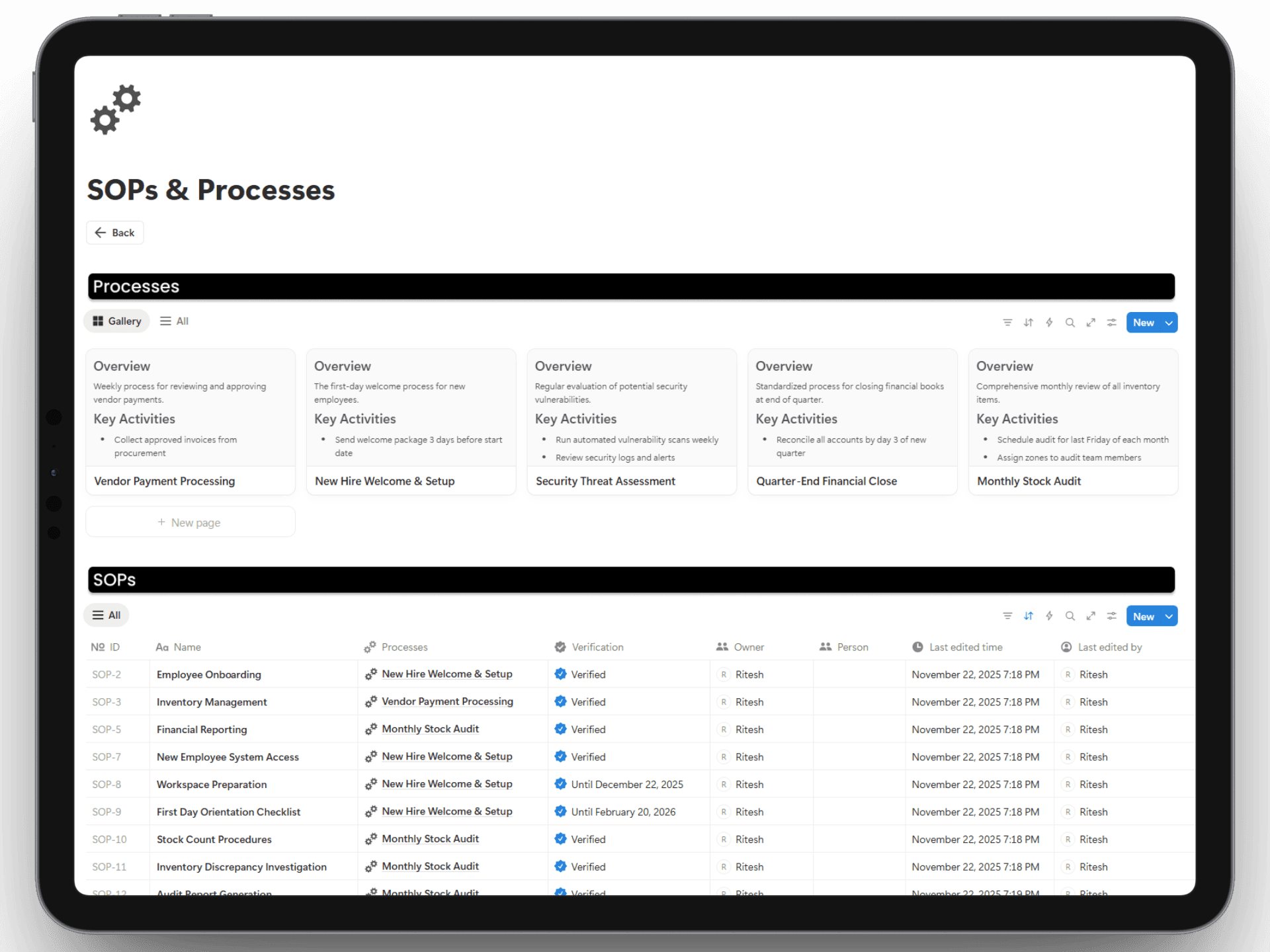
SOPs & Processes

SOPs & Processes

SOPs & Processes

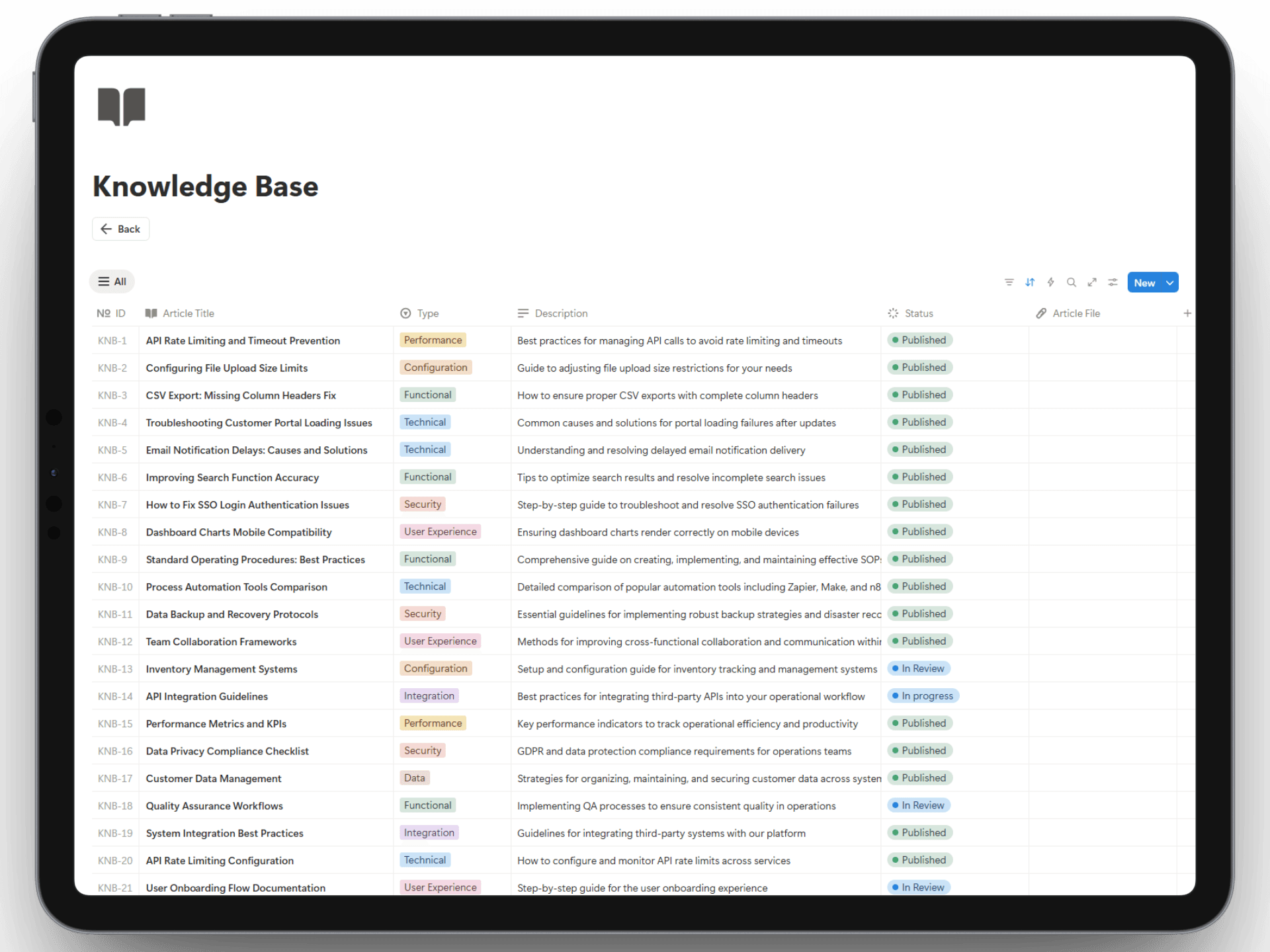
Knowlesge Base

Knowlesge Base

Knowlesge Base

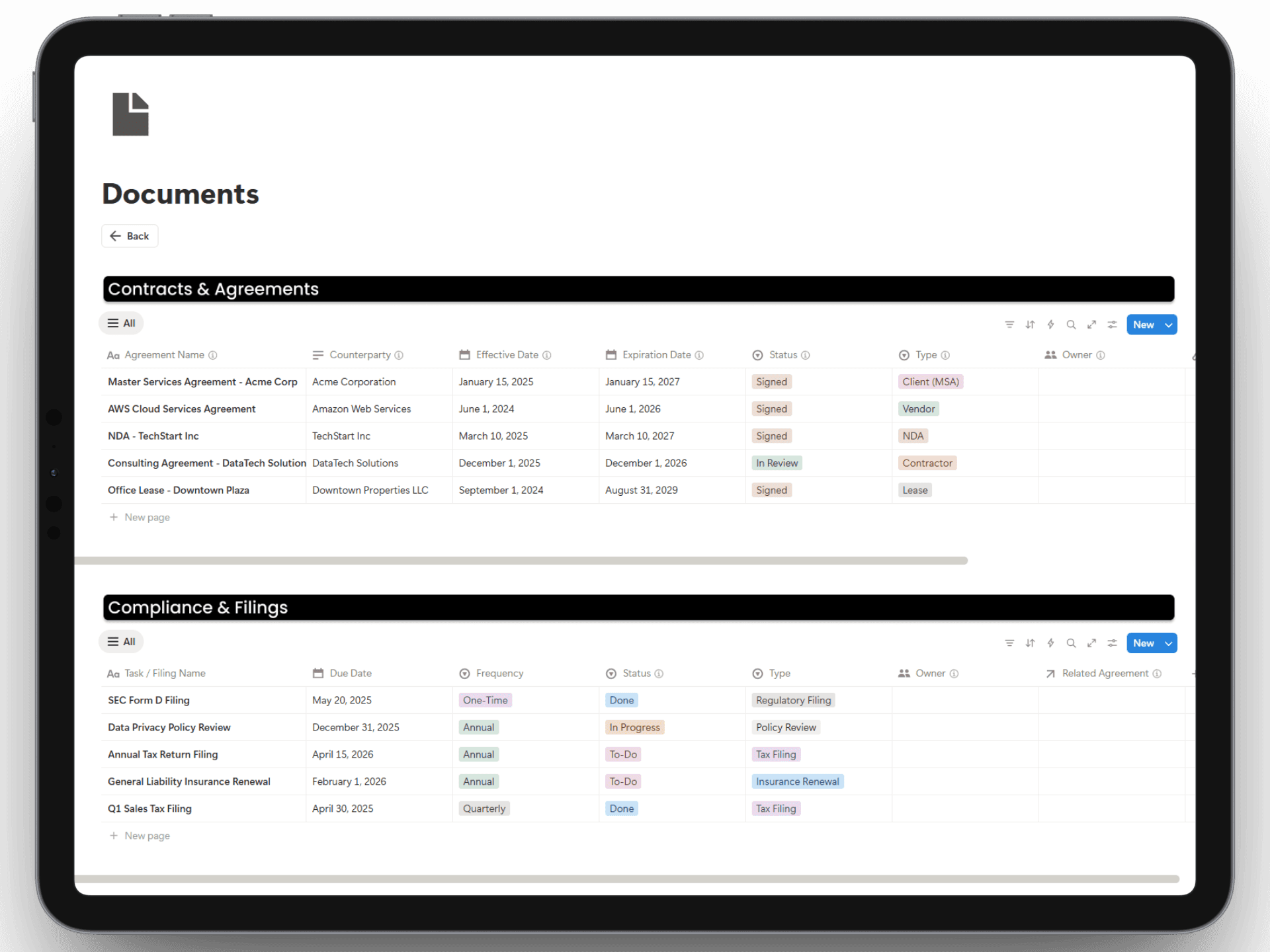
Documents

Documents

Documents

And Much More..

It further includes database page templates for storing detailed records.

Get Instant Access

Additional Resources

Additional Resources

Additional Resources

Support That Lasts

Setup & Documentation

Videos and Pages are included to get you started and make the best use of the template.

Unlimited free updates

You will receive updates on templates with no extra cost.

Get ongoing support

We'll be providing ongoing support for any help or questions regarding our template.

Pricing

Pay once, use forever

Operations Manager

$49

$49

$49

Operations Manager

Operations Manager

Operations Manager

Finance Manager

Finance Manager

Finance Manager

Sales Manager

Sales Manager

Sales Manager

HR Manager

HR Manager

HR Manager

Marketing Manager

Marketing Manager

Marketing Manager

Ecommerce Manager

Ecommerce Manager

Ecommerce Manager

Project Manager

Project Manager

Project Manager

Fundraising Tracker

Fundraising Tracker

Fundraising Tracker

Upcoming New Templates

Upcoming New Templates

Upcoming New Templates

Business Bundle

$199

$199

$199

$512

60% OFF

Operations Manager

Operations Manager

Operations Manager

Finance Manager

Finance Manager

Finance Manager

Sales Manager

Sales Manager

Sales Manager

HR Manager

HR Manager

HR Manager

Marketing Manager

Marketing Manager

Marketing Manager

Ecommerce Manager

Ecommerce Manager

Ecommerce Manager

Project Manager

Project Manager

Project Manager

Fundraising Tracker

Fundraising Tracker

Fundraising Tracker

Upcoming New Templates

Upcoming New Templates

Upcoming New Templates

FAQs

FAQs

FAQs

We’ve got the answers

We’ve got the answers

We’ve got the answers

How do I get the template after purchasing?

After purchasing the template, you will receive a link to the template. You can click on the duplicate button on the top-right corner to duplicate the template into your Notion workspace.

Is there a recurring fee for this?

What is Notion?

Do I need Notion's paid plan for this template?

Is there a refund policy?

Have any more questions?

How do I get the template after purchasing?

After purchasing the template, you will receive a link to the template. You can click on the duplicate button on the top-right corner to duplicate the template into your Notion workspace.

Is there a recurring fee for this?

What is Notion?

Do I need Notion's paid plan for this template?

Is there a refund policy?

Have any more questions?

How do I get the template after purchasing?

After purchasing the template, you will receive a link to the template. You can click on the duplicate button on the top-right corner to duplicate the template into your Notion workspace.

Is there a recurring fee for this?

What is Notion?

Do I need Notion's paid plan for this template?

Is there a refund policy?

Have any more questions?

Still have more questions? Contact our support team.

Still have more questions? Contact our support team.