

Made for Notion
Made for Notion
Your Sales Department,
Entirely in Notion.
Your Sales Department,
Entirely in Notion.
Your Sales Department,
Entirely in Notion.
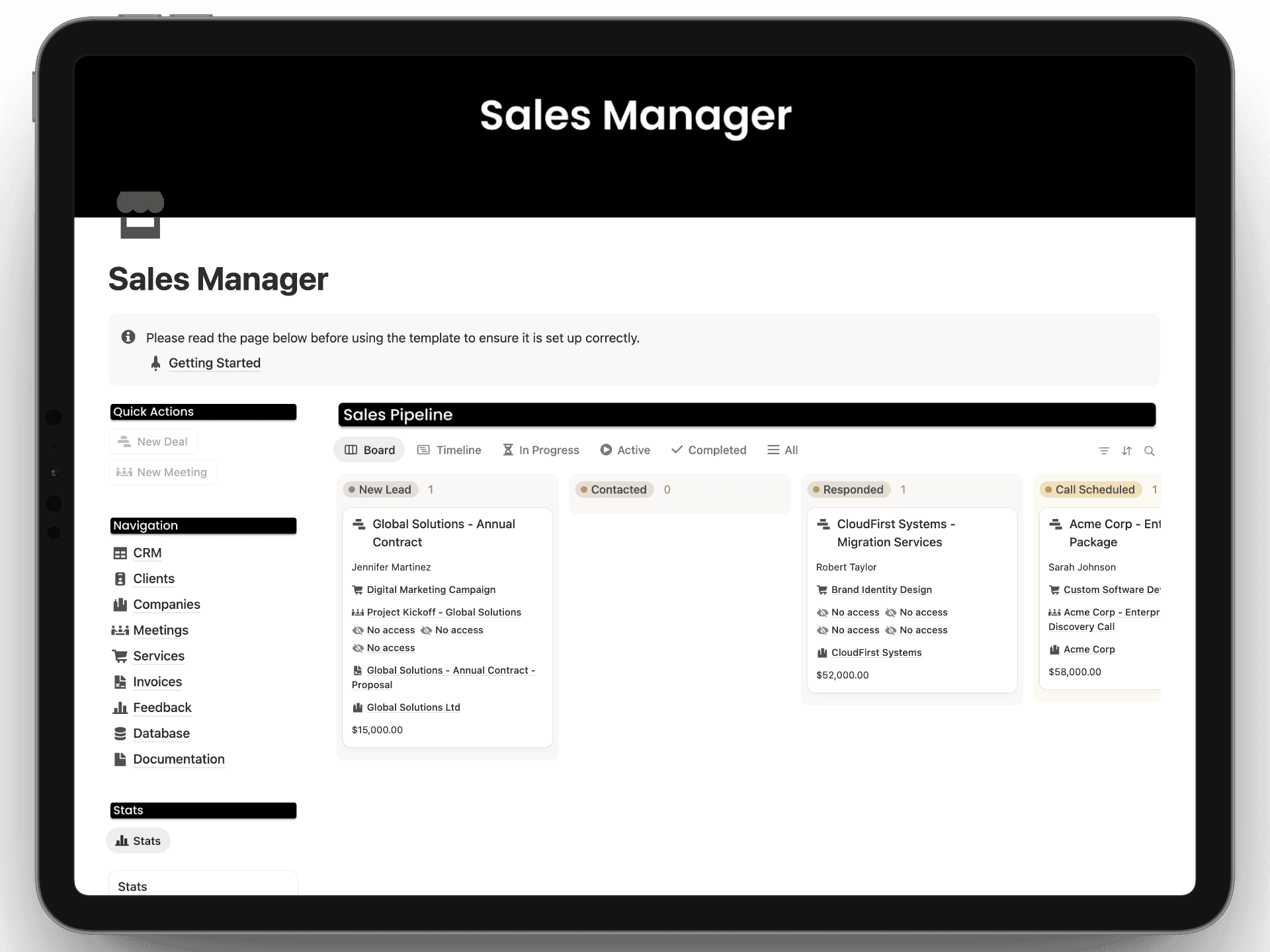
Manage your sales pipeline, schedule meetings, build professional proposals, and host client portals - all from a single, unified system.
Get Instant Access
10+ users


Features
Features
Features
Features That You Have Never Seen in Notion
Automated Sales Pipeline
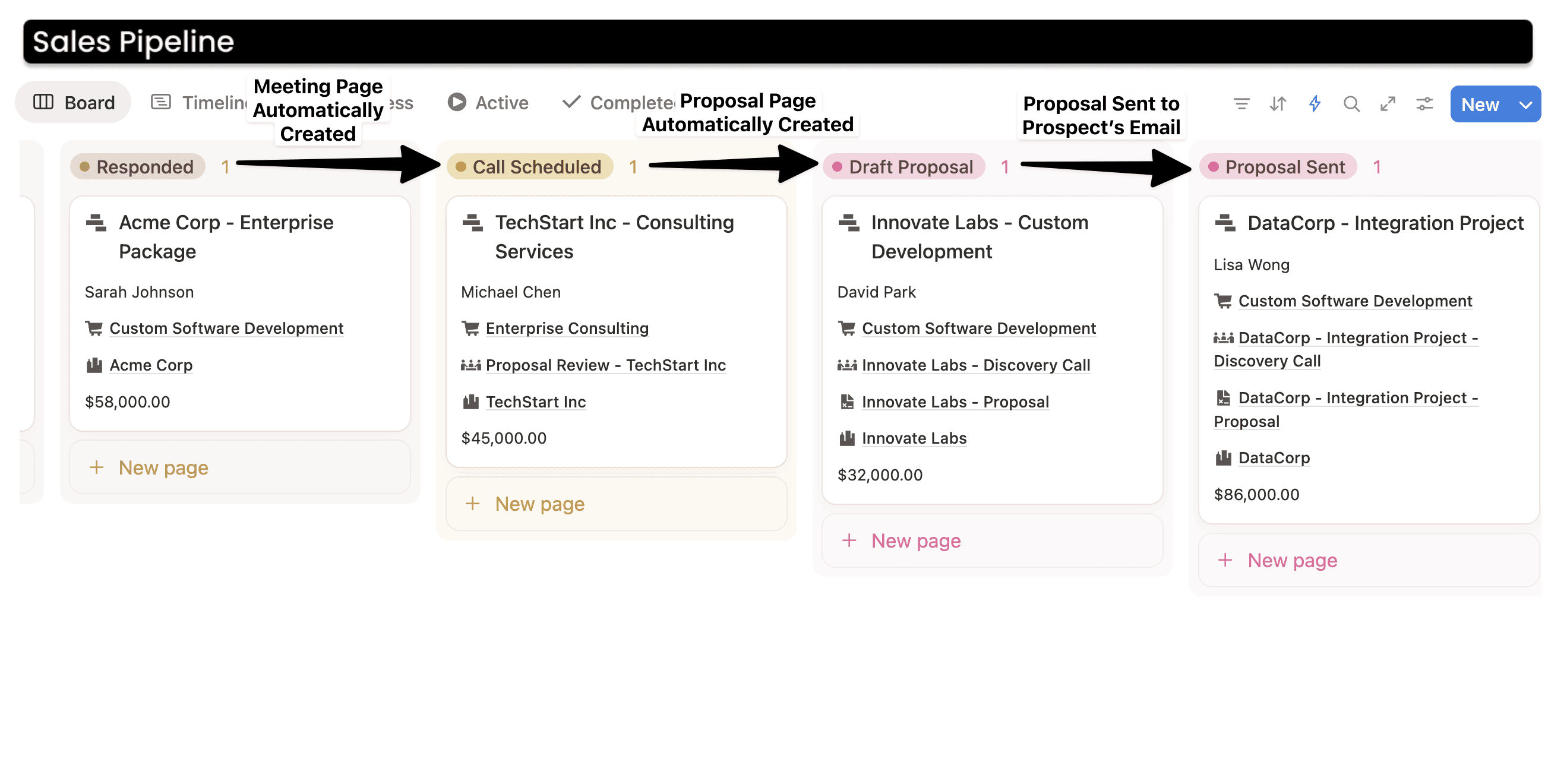
As you move the deal from one stage to the next in the board view, automations will automatically create a new page for meeting and proposal from the available details, and you can modify it as needed.
Once the Proposal is ready, you can move to "Proposal Sent" status, and the proposal will automatically be sent to the prospect through the connected Gmail account.
As you move the deal from one stage to the next in the board view, automations will automatically create a new page for meeting and proposal from the available details, and you can modify it as needed.
Once the Proposal is ready, you can move to "Proposal Sent" status, and the proposal will automatically be sent to the prospect through the connected Gmail account.


Sales KPIs
Sales KPIs
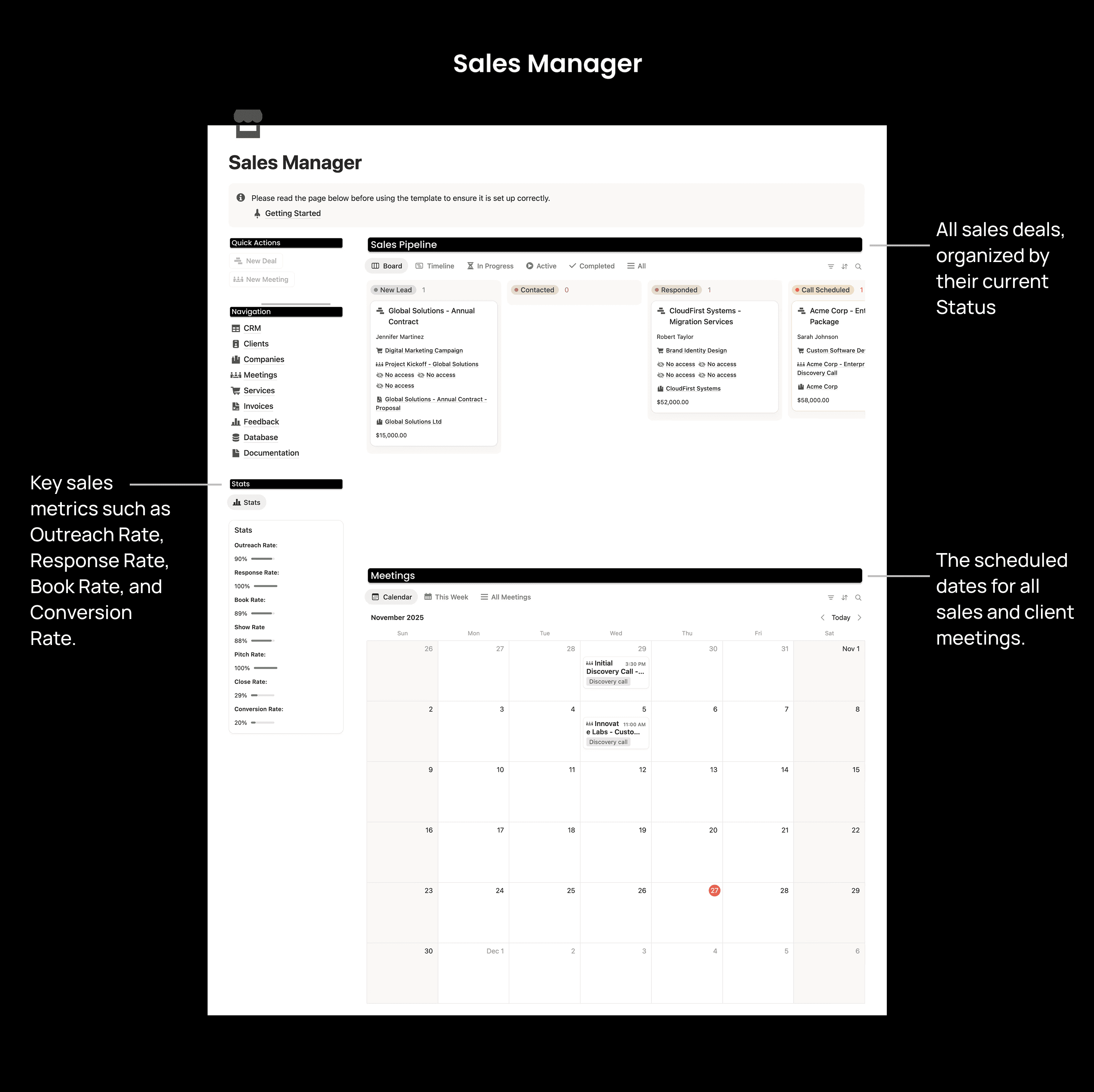
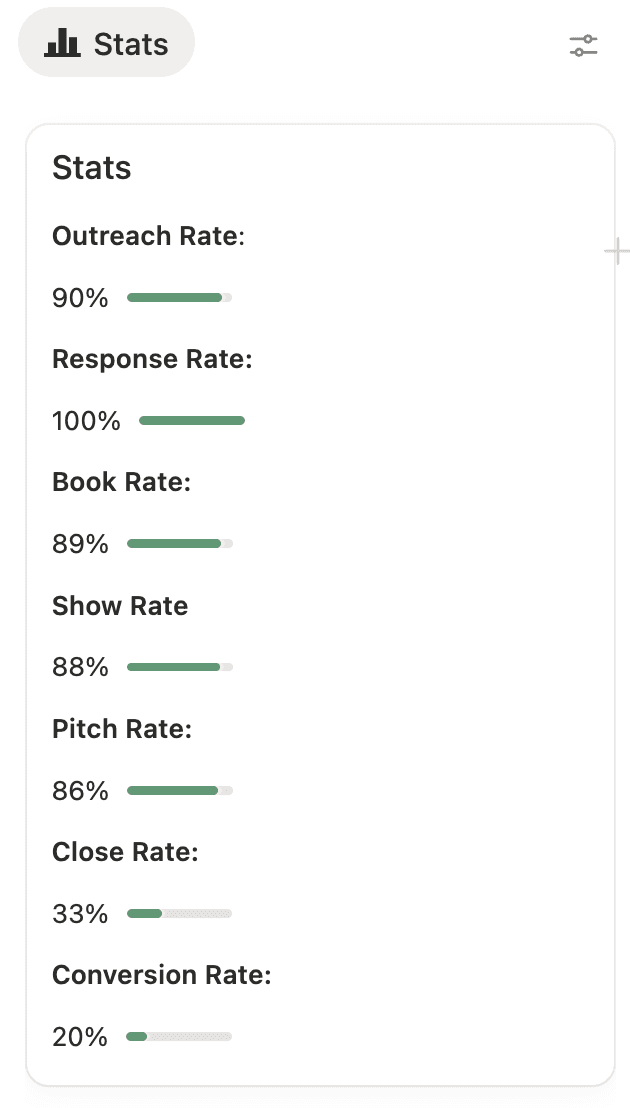
Sales Manages has common KPIs included, and the data is generated automatically.
Create Proposals, Directly in Notion
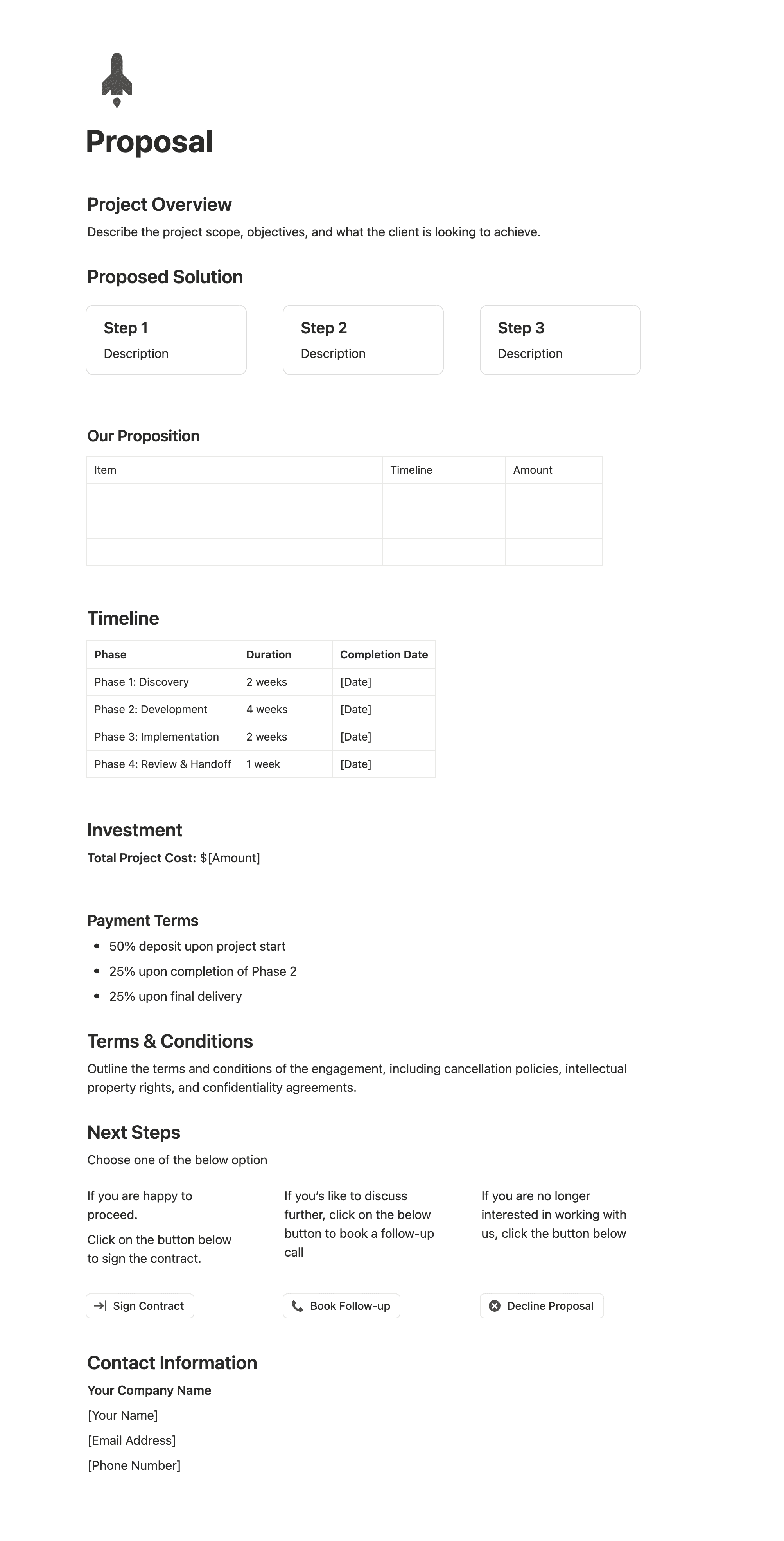
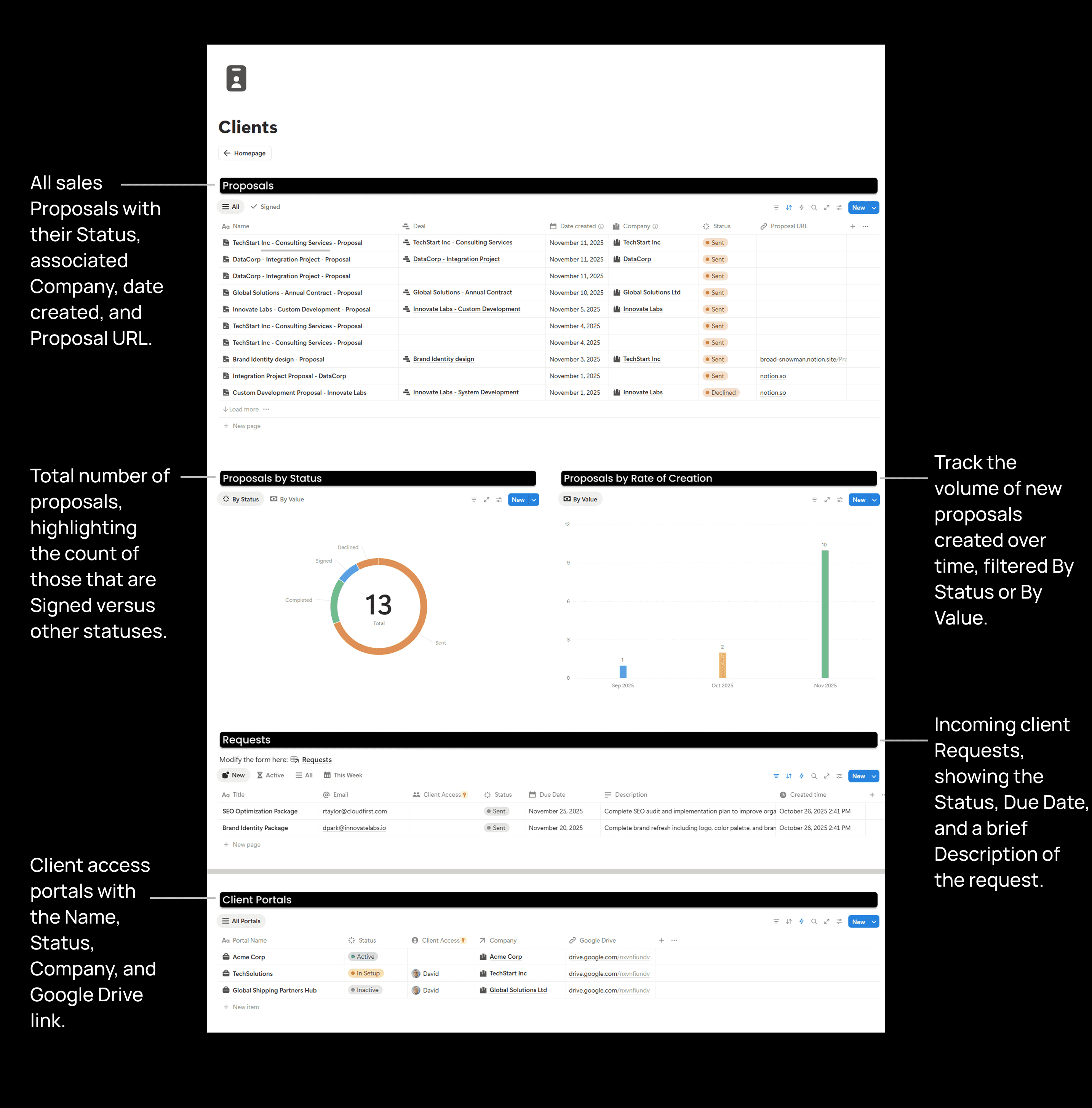
The Sales Manager includes a proposal template as well. You can fill in the details and send the proposal URL to your prospect. They can click "Sign Contract" to move to the next page, where they can find the contract link. There are also buttons to book a follow-up and to decline the proposal.


Create Client Portals and Share Important Information
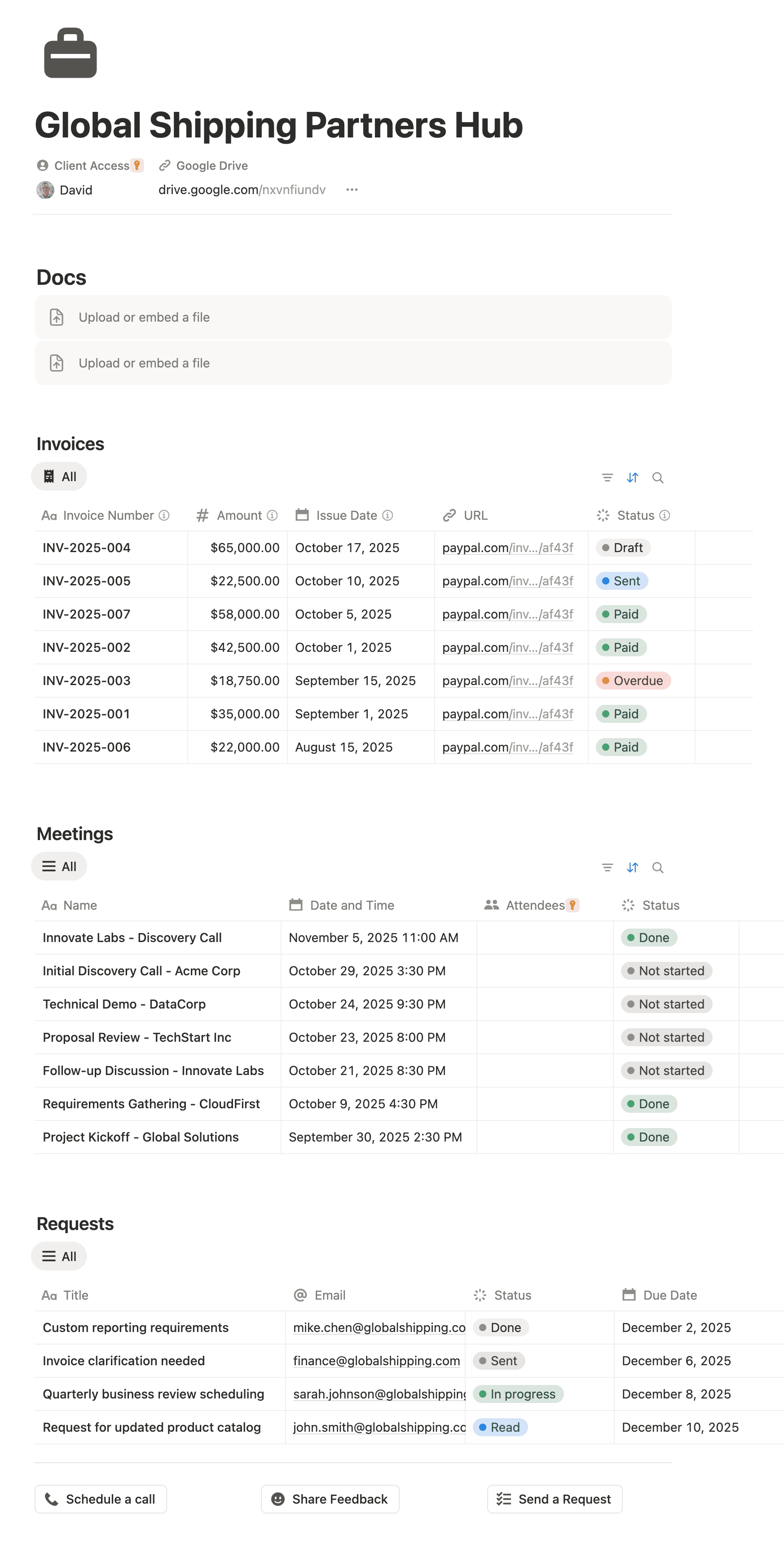
Marketing Manager allows you to create client portals to share documents, invoices, and meeting details. The client can share feedback, schedule a call, or send a request with the provided buttons.
What's inside
What's inside
What's inside
The Homepage
The Homepage
The Homepage


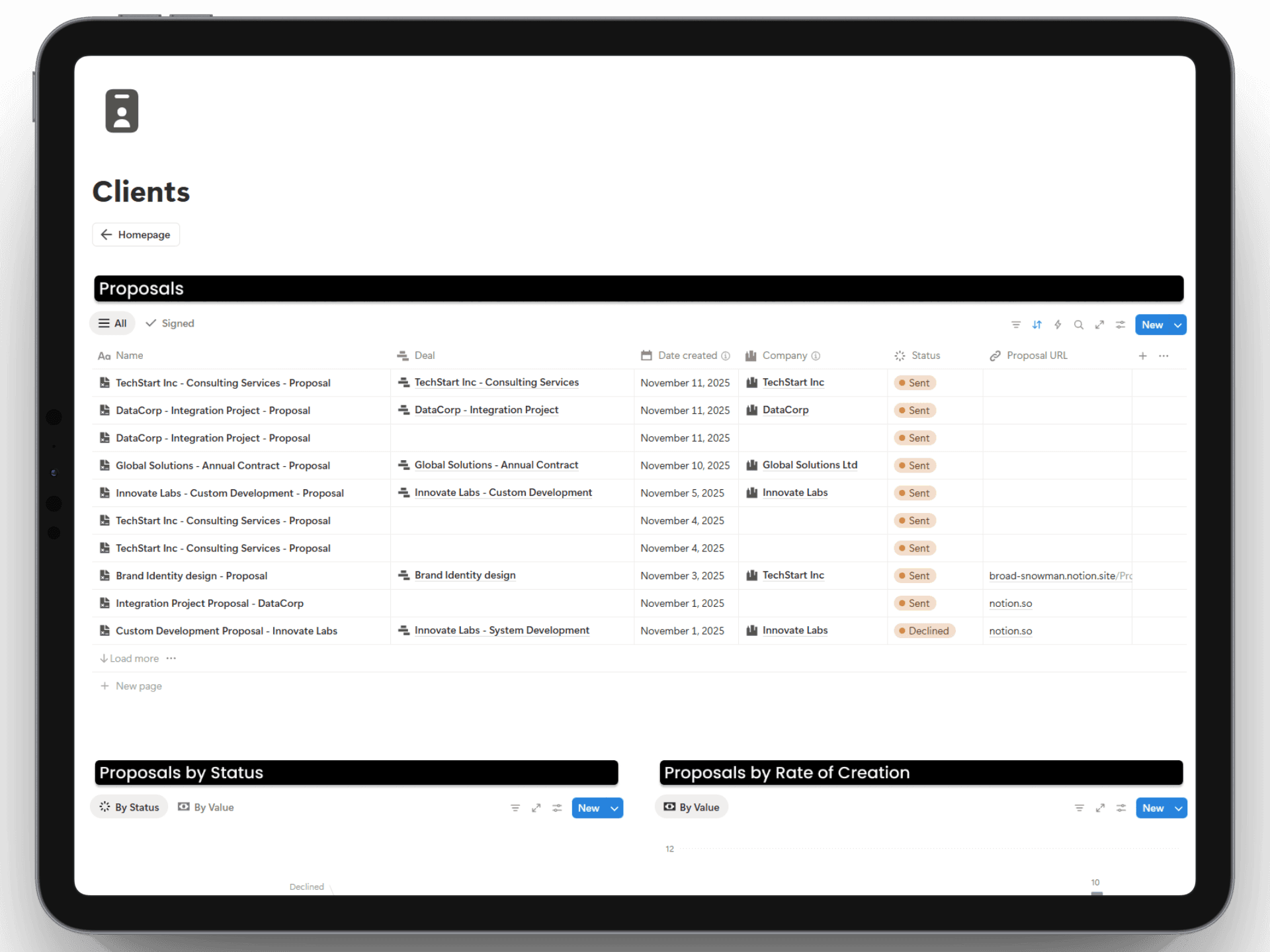
Clients
Clients
Clients


Feedback
Feedback
Feedback


Additional Pages
Additional Pages
Additional Pages
Beyond the Surface
Beyond the Surface
Beyond the Surface

CRM

CRM

CRM

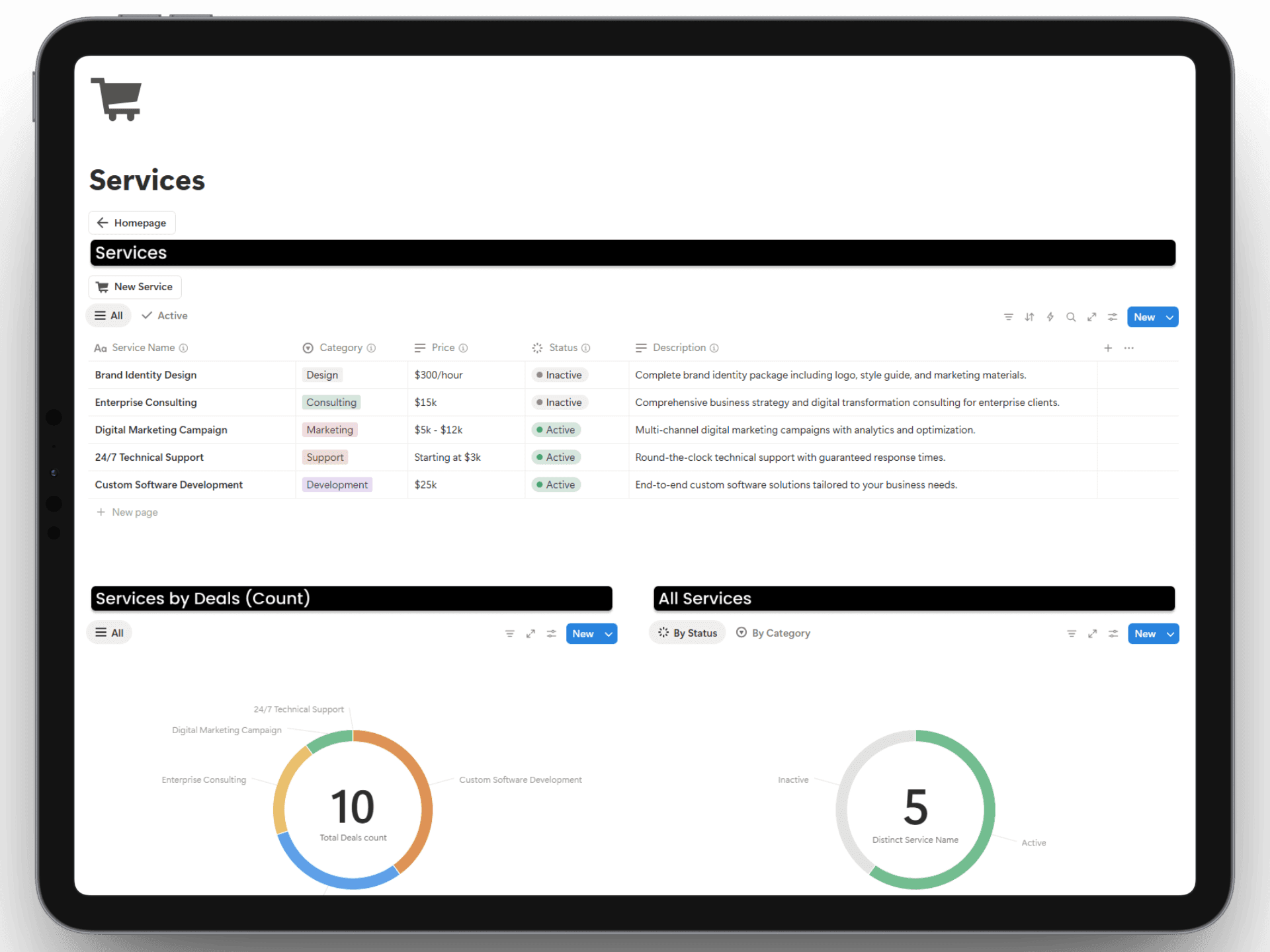
Services

Services

Services

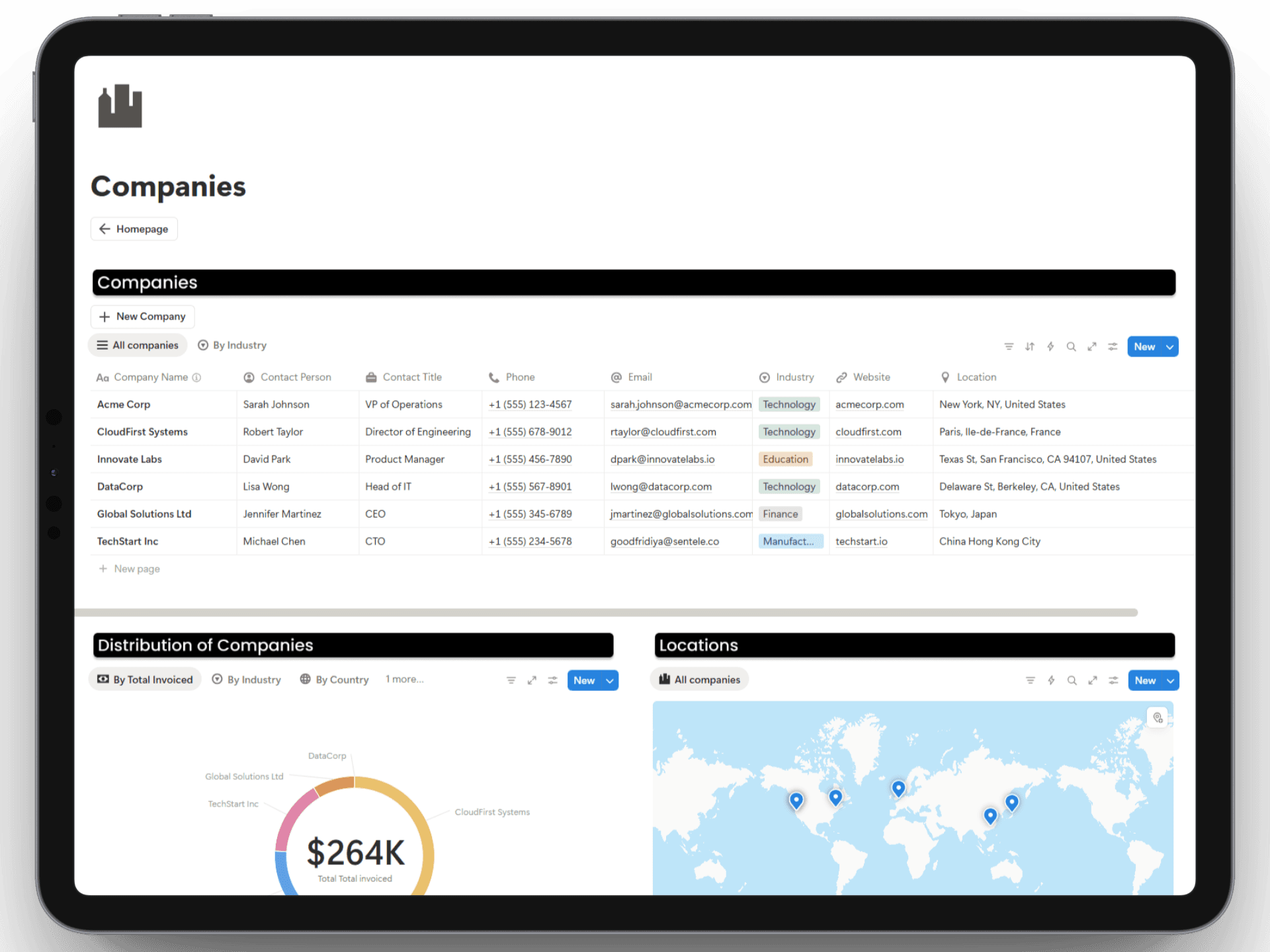
Companies

Companies

Companies

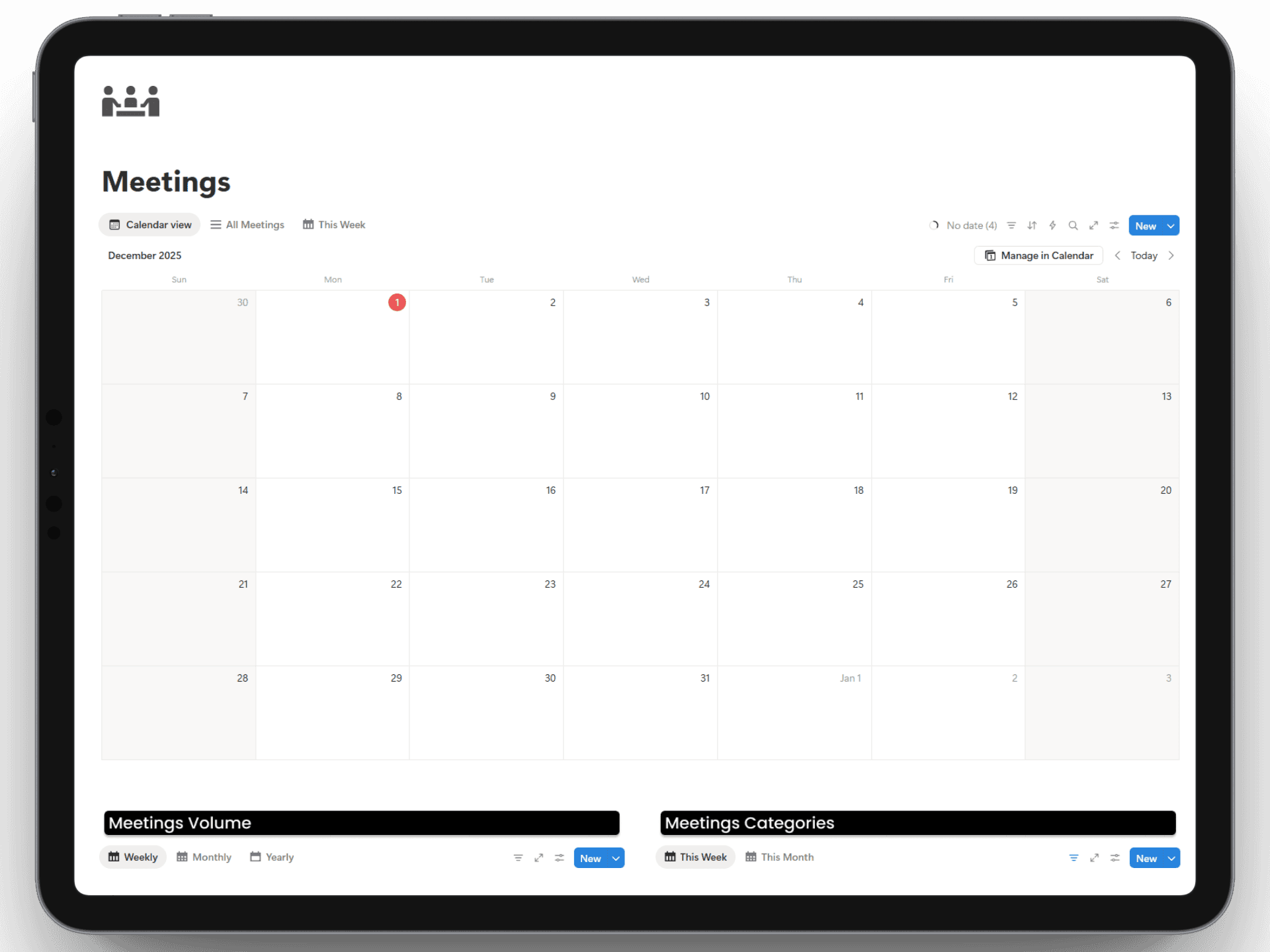
Meetings

Meetings

Meetings

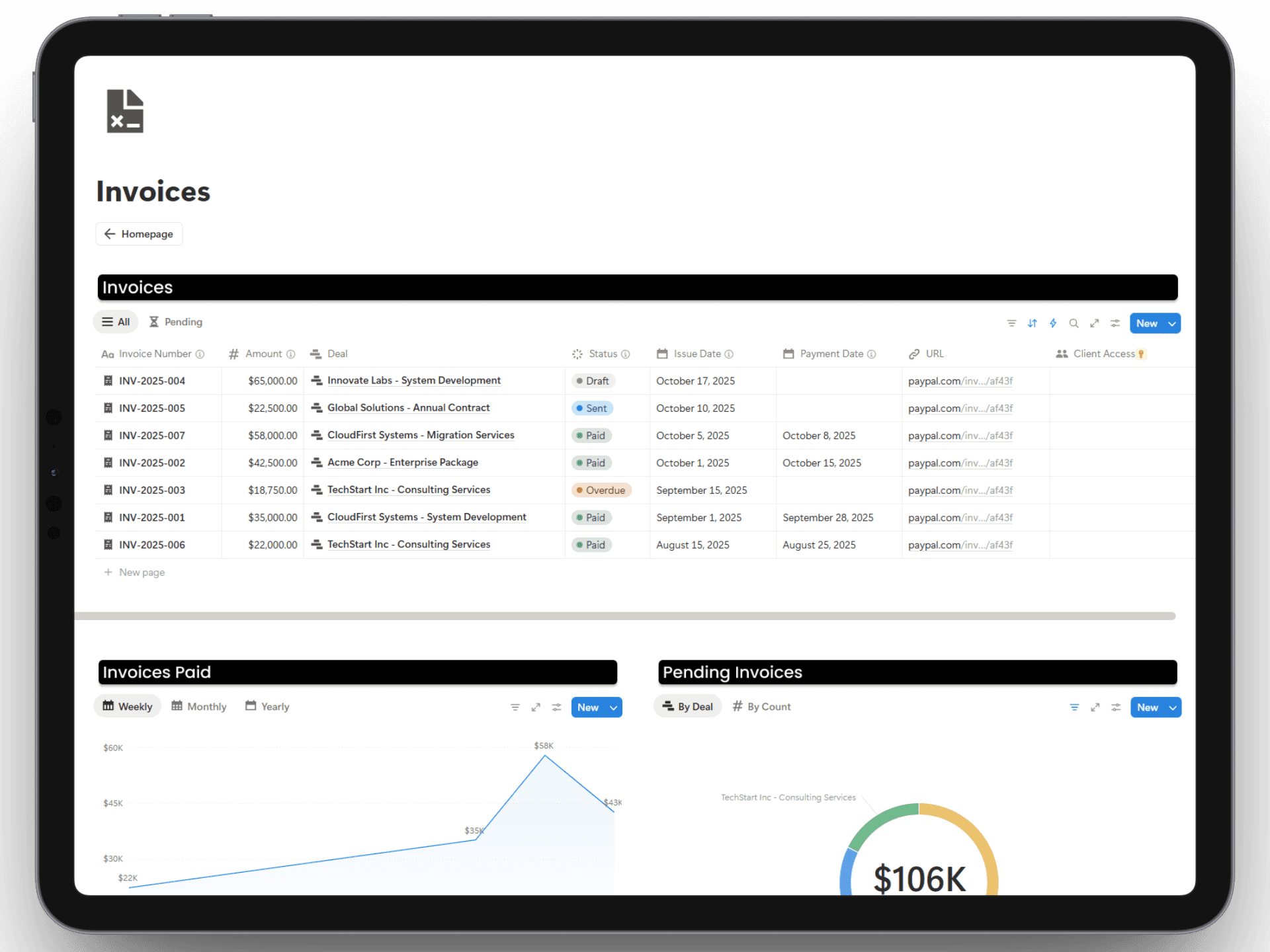
Invoices

Invoices

Invoices
And Much More..
It further includes over 15 database page templates for detailed records.
Get Instant Access
Additional Resources
Support That Lasts

Setup & Documentation
Videos and Pages are included to get you started and make the best use of the template.

Unlimited free updates
You will receive updates on templates with no extra cost.

Get ongoing support
We'll be providing ongoing support for any help or questions regarding our template.
Pricing
Pay once, use forever
Sales Manager
$79
$79
$79
Sales Manager
Sales Manager
Sales Manager
Finance Manager
Finance Manager
Finance Manager
HR Manager
HR Manager
HR Manager
Marketing Manager
Marketing Manager
Marketing Manager
Ecommerce Manager
Ecommerce Manager
Ecommerce Manager
Operations Manager
Operations Manager
Operations Manager
Project Manager
Project Manager
Project Manager
Fundraising Tracker
Fundraising Tracker
Fundraising Tracker
Upcoming New Templates
Business Bundle
$199
$199
$199
$512
60% OFF
Sales Manager
Sales Manager
Sales Manager
Finance Manager
Finance Manager
Finance Manager
HR Manager
HR Manager
HR Manager
Marketing Manager
Marketing Manager
Marketing Manager
Ecommerce Manager
Ecommerce Manager
Ecommerce Manager
Operations Manager
Operations Manager
Operations Manager
Project Manager
Project Manager
Project Manager
Fundraising Tracker
Fundraising Tracker
Fundraising Tracker
Upcoming New Templates
FAQs
FAQs
FAQs
We’ve got the answers
How do I get the template after purchasing?
After purchasing the template, you will receive a link to the template. You can click on the duplicate button on the top-right corner to duplicate the template into your Notion workspace.
Is there a recurring fee for this?
What is Notion?
Do I need Notion's paid plan for this template?
Is there a refund policy?
Have any more questions?
How do I get the template after purchasing?
After purchasing the template, you will receive a link to the template. You can click on the duplicate button on the top-right corner to duplicate the template into your Notion workspace.
Is there a recurring fee for this?
What is Notion?
Do I need Notion's paid plan for this template?
Is there a refund policy?
Have any more questions?
How do I get the template after purchasing?
After purchasing the template, you will receive a link to the template. You can click on the duplicate button on the top-right corner to duplicate the template into your Notion workspace.
Is there a recurring fee for this?
What is Notion?
Do I need Notion's paid plan for this template?
Is there a refund policy?
Have any more questions?
Still have more questions? Contact our support team.