
Ritesh Nayak
Notion Developer
10 Best Notion Templates for Project Management
•
19
Notion templates can simplify project management by offering pre-built systems for tracking tasks, timelines, and collaboration. Whether you're a freelancer managing multiple projects or part of a team handling complex workflows, these templates can save time and streamline your processes. Here are ten of the best options, ranging from free tools to premium setups:
Sentele Project Manager ($49): Includes timeline views, task tracking, and dependency mapping for efficient team collaboration.
Universal Project Management V2.0 ($29): Focuses on relational databases for Projects, Tasks, and Clients, ideal for freelancers and small teams.
Project Manager by Notion Avenue (Free): Features Kanban boards and shared workspaces for teams of all sizes.
Project Management by iamsourabhshen (Free): Offers flexible task organization with multiple views like Kanban and timelines.
Task and Project Management System by NotionEverything ($49-$149): Provides over 30 preconfigured views and automated dashboards for scaling workflows.
Projects & Tasks by Notion (Free): Official template combining tasks, wikis, and documentation in one space.
ProjectOS by Jans (Free or Premium): Built around OKRs, linking tasks to measurable goals.
Notion Project Management Template (2024) by Landmark Labs (Part of a paid bundle): Modular system with relational databases and progress tracking.
Simple Project Management by Notion Everything (Free): User-friendly design with basic views like Kanban and timelines.
Tasks & Issues by Notion (Free): Agile-ready template with task tracking, dependencies, and integrations for engineering and QA teams.
Quick Comparison
Template | Price | Key Features | Best For |
|---|---|---|---|
Sentele Project Manager | $49 | Timeline view, task dependencies, real-time updates | Teams needing robust timelines |
Universal Project Management V2.0 | $29 | Relational databases for Projects/Tasks/Clients | Freelancers, small teams |
Project Manager by Notion Avenue | Free | Kanban boards, shared workspace | General team collaboration |
Project Management by iamsourabhshen | Free | Multiple views, "Today's Task" section | Individual or small team tracking |
Task and Project Management System | $49-$149 | 30+ views, automated dashboards | Scaling workflows |
Projects & Tasks by Notion | Free | Combines tasks, wikis, and documentation | Cross-functional teams |
ProjectOS by Jans | Free/Premium | OKR framework, sprint planning | Goal-focused teams |
Landmark Labs Template | Paid Bundle | Modular system, relational databases | Growing businesses |
Simple Project Management | Free | Basic views, easy to use | Beginners |
Tasks & Issues by Notion | Free | Agile workflows, integrations | Engineering, QA teams |
These templates cater to a variety of needs, from basic task tracking to advanced project management systems. Choose one that fits your workflow and team size to improve organization and productivity.
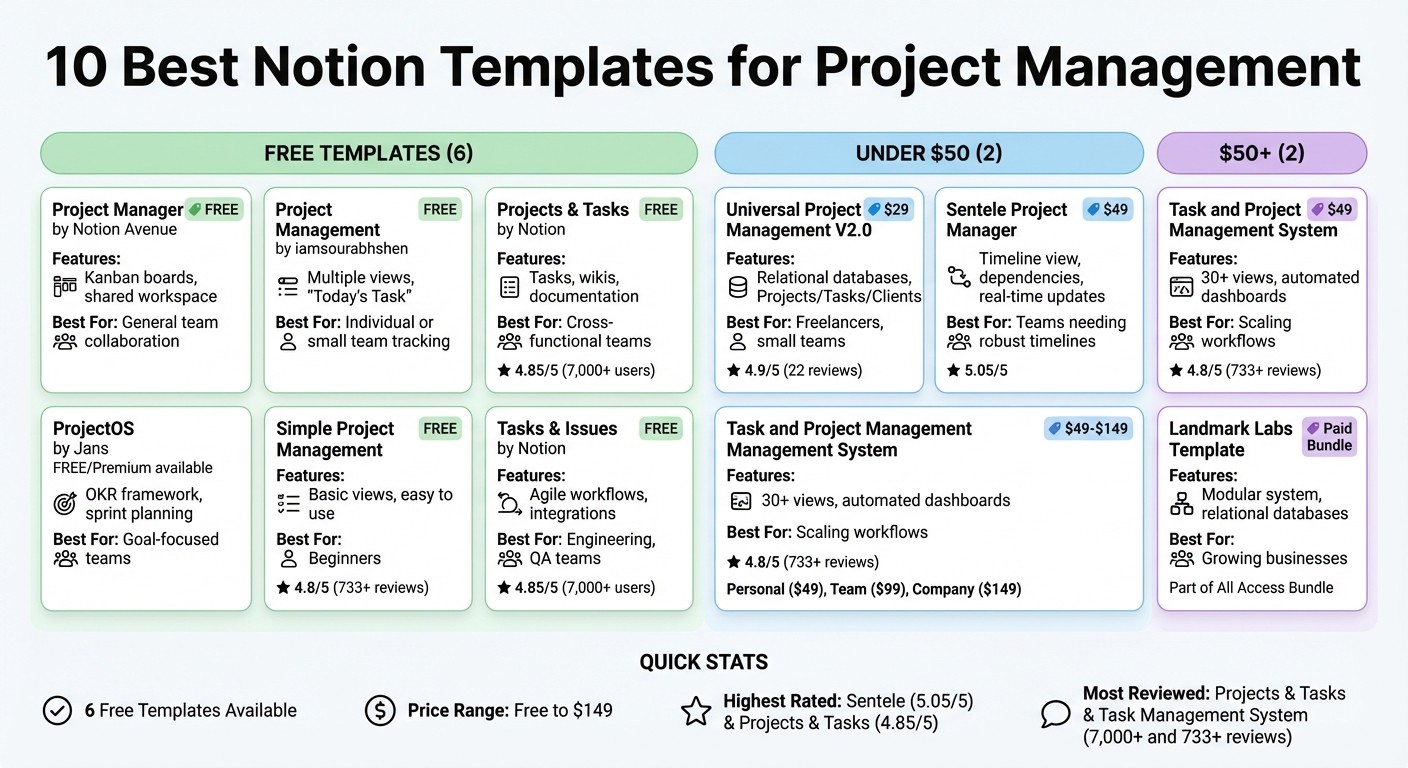
Notion Project Management Templates Comparison: Features, Pricing & Best Use Cases
The Notion task manager you'll actually use (full build)
1. Sentele Project Manager
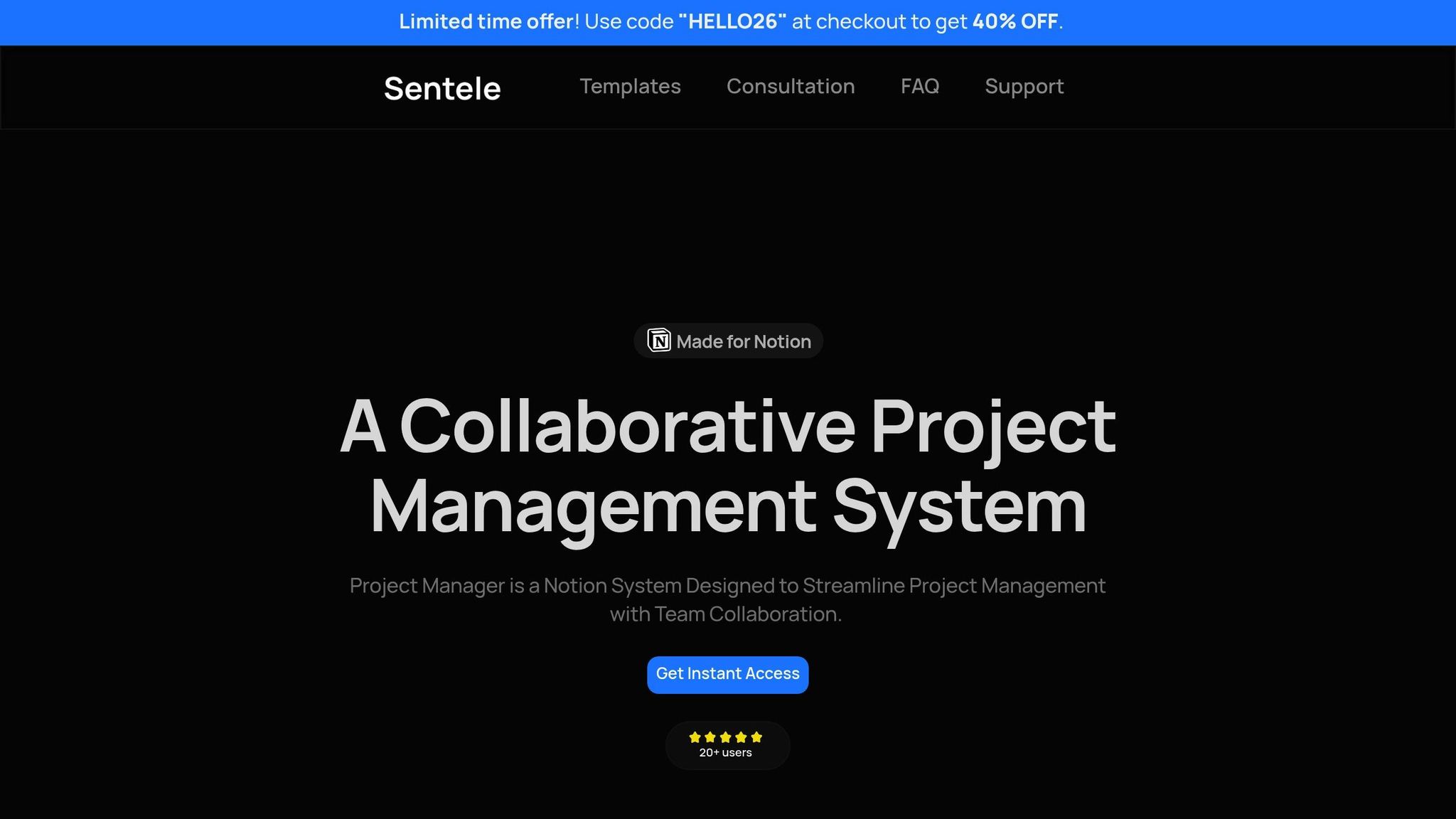
The Sentele Project Manager is a comprehensive Notion template priced at $49, designed to streamline timeline planning, task tracking, and team collaboration - all within a single workspace. Its timeline view, which functions much like an advanced Gantt chart, makes it easy to scope projects and adjust schedules as needed. With a stellar 5.05/5 rating on the Notion marketplace, this template stands out as a reliable tool for managing projects efficiently.
Customization and Scalability
This template goes beyond basic planning by offering flexibility and scalability. It allows users to tailor workflows to their specific needs, breaking projects into tasks and dependencies. This setup not only clarifies workflows but also helps identify potential blockers early. Whether you're a solo freelancer juggling multiple projects or part of a team managing complex stakeholder coordination, the Sentele Project Manager adapts to your needs seamlessly.
Collaboration Features
Collaboration is at the heart of the Sentele Project Manager. Managers can assign tasks to individual team members, ensuring clarity and accountability. The dependency mapping feature highlights how tasks are interconnected, while the shared timeline view provides a centralized space for real-time updates. This makes it easier to adjust schedules and keep both internal teams and external stakeholders informed about progress.
Task Tracking and Progress Monitoring
The timeline view isn’t just for planning - it’s also a powerful tool for tracking progress. It visually maps out stages and deadlines, making it easier to monitor where things stand. Integrated time tracking adds another layer of functionality, helping users measure productivity and spot bottlenecks early. This feature is particularly handy for freelancers who need to track billable hours or for teams managing productivity across different phases of a project.
Pricing and Value for Money
At $49, the Sentele Project Manager delivers professional-grade project management tools, complete with setup documentation, ongoing support, and free updates. For those who want to test the waters first, a free Time Tracker version is also available.
2. Universal Project Management V2.0 by 123done
Universal Project Management V2.0 is a Notion template priced at $29 that’s built around three key relational databases: Projects, Tasks, and Clients. This setup creates a central hub for managing work across different categories, making it easier to understand how everything ties together. With an impressive 4.9/5 star rating from 22 reviews on Gumroad, it’s a go-to solution for freelancers, solopreneurs, and small teams looking for a reliable project management system.
Customization and Scalability
This template is designed to fit a variety of workflows, and you don’t need any advanced technical knowledge to make it your own. Once duplicated, you can tweak fields, change views, and adjust layouts to match your specific needs. Thanks to its relational database system, you can easily link tasks to their corresponding projects and clients, keeping your work organized as your workload expands.
Task Tracking and Progress Monitoring
The template includes a time-tracking feature, allowing you to log hours for individual tasks and monitor overall progress. It also offers multiple visual formats - Kanban boards, calendars, tables, and galleries - making it easier to identify bottlenecks and adjust your priorities on the fly.
Pricing and Value for Money
For $29, this template delivers a solid set of features. If you have questions or need help, the creator provides email support at support@123d.one. Updated as recently as January 2023, the template works seamlessly in both light and dark modes on Notion. While basic Notion skills are required, the straightforward structure ensures you can start managing projects right away.
3. Project Manager by Notion Avenue
Project Manager by Notion Avenue is a free template packed with practical tools for managing projects. Designed around visual Kanban boards and adaptable workflows, it works well for teams of all sizes.
Customization and Scalability
This template is all about flexibility. You can create workflows and templates tailored to your specific needs, tweak fields, rearrange layouts, and adjust views - all without needing any technical know-how. Whether you're managing personal tasks or collaborating with a growing team, the system adjusts seamlessly. This adaptability helps ensure smooth coordination as your projects expand.
Collaboration Features
Collaboration is a key strength here. The shared workspace allows team members to work together in real time, with updates instantly visible to everyone. You can assign tasks to yourself or others, keeping everyone accountable. Plus, all project-related materials are stored in one place, so there’s no need to jump between apps. Features like due dates and "do dates" help teams stay on top of deadlines while also scheduling work efficiently.
Task Tracking and Progress Monitoring
The Kanban board provides a clear, visual overview of tasks, with filters to highlight what’s due today, this week, or overdue. To help you stay focused, the template includes tools like the Eisenhower Matrix for prioritization and a Pomodoro timer for time management. Meanwhile, an archive system keeps your workspace clutter-free by moving completed tasks out of sight.
Pricing and Value for Money
The best part? It’s completely free. You get access to essential tools like project planning, task management, collaboration features, and visual organization at no cost. While it’s available as a standalone download, it’s also part of Notion Avenue’s paid "Ultimate Productivity System" for those who want a more extensive suite of tools.
4. Project Management by iamsourabhshen
Project Management by iamsourabhshen is a free template designed to simplify project tracking while remaining flexible and professional. Instead of locking you into a rigid framework, it gives you the freedom to shape it around your unique workflow.
Customization and Scalability
This template is all about flexibility. You can organize tasks by priority or project, and it provides multiple viewing options to suit your style. Whether you prefer a Project Gallery for a high-level overview, a Task Kanban Board to visualize workflow stages, or a Project Timeline to track milestones, this template has you covered. Quick-add buttons make it effortless to create tasks and projects on the fly. Plus, you can merge personal and professional tasks into a single workspace, ensuring everything stays in sync. This seamless design naturally supports smooth daily task management.
Task Tracking and Progress Monitoring
To help you stay on top of your workload, the "Today's Task" section highlights your daily priorities. A dynamic progress bar and integrated weekly or monthly calendars give you a clear view of your progress and upcoming commitments. This blend of day-to-day focus and long-term planning makes juggling multiple projects much more manageable.
Pricing and Value for Money
What sets this template apart is its cost - there isn’t one. It’s completely free, making it an excellent choice for individuals or teams seeking a reliable project management tool without spending a dime.
5. Task and Project Management System by NotionEverything
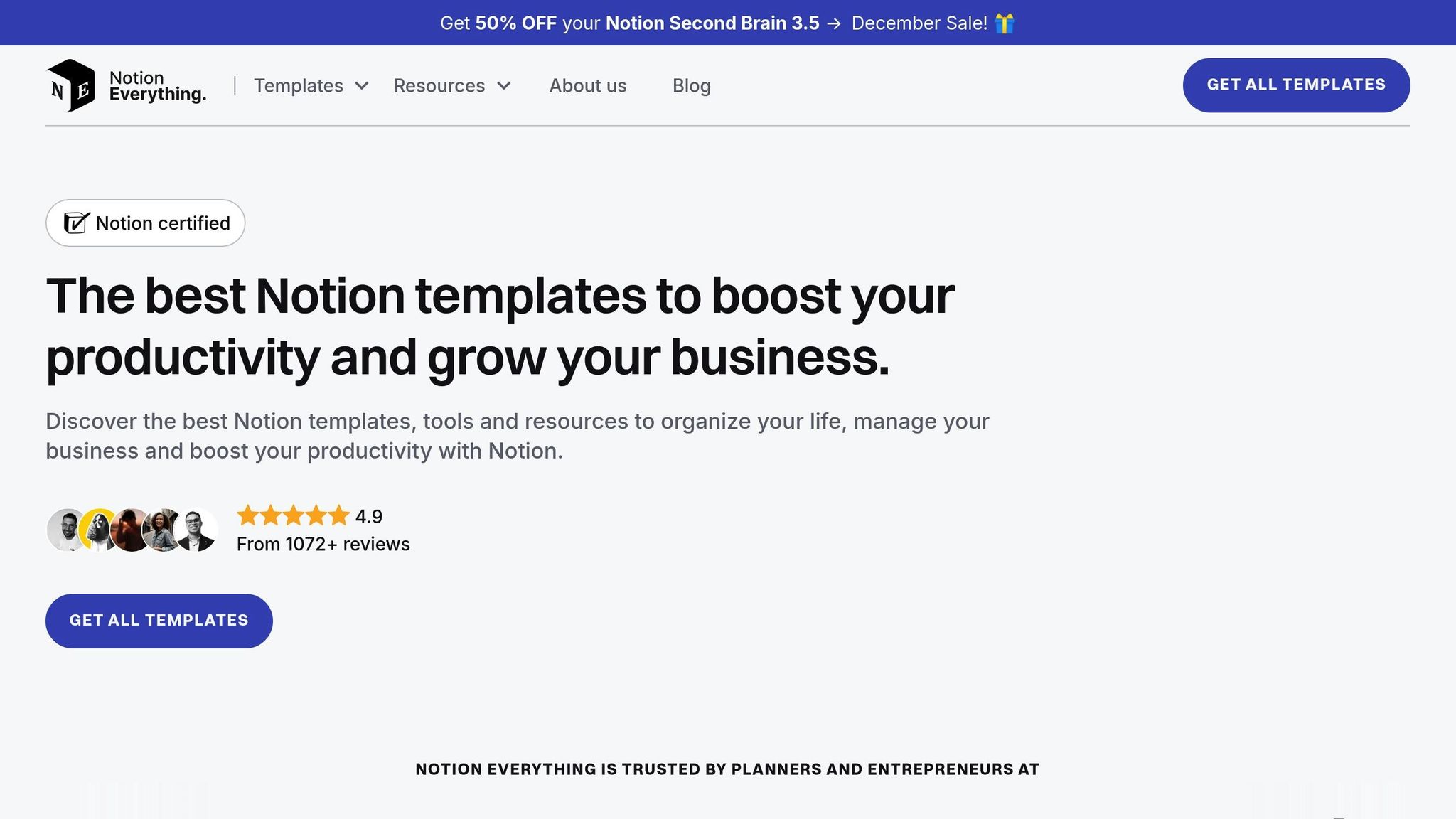
The Task and Project Management System by NotionEverything is designed to streamline workflows by organizing work into four key categories: Areas, Topics, Projects, and Tasks. This methodical structure simplifies even the most complex processes, making it suitable for both individual freelancers and small business teams.
Customization and Scalability
This template stands out for its flexibility, offering more than 30 preconfigured views, including Kanban, Timeline, Calendar, Gallery, and List, to help you visualize your work in the way that suits you best. Every time you create a new project, topic, or area, the system automatically generates a dedicated dashboard, making it easy to scale as your needs grow. It comes preloaded with essential business categories, but you can tweak statuses, priority levels, and database properties to align with your specific workflow. Camille Blanchod aptly described it as:
"This template has a clear structure and its minimalistic design makes it super easy to use."
Collaboration Features
To enhance team efficiency, the system provides user-filtered dashboards that display only the tasks and projects assigned to you. This feature eliminates unnecessary distractions and ensures you stay focused on your priorities. With an impressive 4.8/5 rating from over 733 reviews, users frequently highlight how the template's structure fosters seamless collaboration.
Task Tracking and Progress Monitoring
The template includes "Focus Views" that categorize tasks by their urgency - Today, Tomorrow, and This Week - allowing you to prioritize effectively. Automated progress bars give you a quick snapshot of project completion by calculating percentages based on related tasks. Whether you're using the Personal Dashboard or the Team Dashboard, the system filters information so you only see what’s relevant to your role, cutting down on clutter.
Pricing and Value for Money
This template is available under three licensing options:
Personal License: $49 (for one Notion account)
Team License: $99 (up to five users)
Company License: $149 (unlimited users)
All plans include lifetime access and updates, making it a one-time purchase. While the template is compatible with Notion's free plan, larger teams may benefit from upgrading to Notion’s paid plans for better guest management features.
6. Projects & Tasks by Notion
The Projects & Tasks by Notion template is an official tool from Notion designed to streamline project management, documentation, and team collaboration into a single, cohesive workspace. Its flexible structure allows you to adjust and reorganize as your project requirements shift. By combining docs, tasks, and wikis in one place, it eliminates the hassle of switching between multiple tools. Think of it as Notion's answer to other all-in-one project management platforms.
Customization and Scalability
This template is built to align with a variety of project management styles. Whether you prefer Agile, Scrum, Waterfall, or a hybrid approach, the template adapts to your workflow. It offers multiple viewing options, including pre-configured views for Agile teams to monitor weekly progress, workload distribution, and average delays. You can embed design files, meeting notes, and planning documents directly into the workspace, keeping everything you need in one place. Notion's built-in charting tools also provide visual insights into team capacity and task allocation, making it easier to spot bottlenecks or balance workloads.
Collaboration Features
With a 4.85/5 rating from over 7,000 users, this template stands out for its ability to keep teams on the same page. It integrates project management, planning documents, and a knowledge base into a seamless system. You can even embed designs from tools like Figma into task pages, offering immediate visual context. As one user, Thành Tấn, shared:
"The connection between Projects and Tasks is clear, flexible, and practical for real work. It helps me manage projects, track progress, and organize daily tasks much more efficiently."
Task Tracking and Progress Monitoring
The template is packed with features to handle even the most complex workflows. It supports subtasks, dependencies, and issue tracking, making it ideal for Agile teams managing sprints or backlogs. If you're migrating from another tool, the built-in Asana importer simplifies the process. For high-level planning, the Timeline view is perfect, while the Kanban board helps with day-to-day task management. The 2025 version has an impressive 4.95/5 rating from over 500 reviews, with users highlighting its ease of use and effectiveness for both individuals and small teams.
Pricing and Value for Money
You can access this template for free through Notion's official gallery, and it works seamlessly with Notion's Free plan (which allows up to five guest shares). For larger teams or those needing advanced features like unlimited guest access, upgrading to a paid Notion plan might be worth considering.
7. ProjectOS by Jans
ProjectOS by Jans is a Notion template designed around the OKR framework, seamlessly connecting daily tasks to larger organizational goals. It’s versatile enough to support solo entrepreneurs while also scaling effortlessly for growing teams. Unlike standard templates that simply list tasks, this one focuses on tying each task to a clear purpose.
Flexible and Scalable Design
ProjectOS stands out for its adaptability. It includes pre-built sections for managing projects, setting objectives, and organizing meetings. A dedicated Team Hub helps startups stay coordinated, while Sprint Planning modules streamline workflows. With dynamic calendar and timeline views, it ensures every task is aligned with big-picture business goals.
Enhanced Team Collaboration
Collaboration gets a boost with tools tailored for team coordination. The Team Hub serves as a central workspace where everyone can track progress across projects. The Gantt-style timeline view makes it easy to manage dependencies and share schedules, keeping updates clear and accessible.
Task Management and Progress Tracking
Thanks to its OKR framework, ProjectOS links task lists directly to measurable outcomes. Features like the timeline view and sprint planning templates make monitoring progress straightforward and efficient.
Pricing Options
For those wanting to try it out, the "Team Project Manager" version is available for free and includes basic features. For advanced OKR tracking and expanded templates, the premium ProjectOS Pro is offered.
8. Notion Project Management Template (2024) by Landmark Labs
Landmark Labs' project management template is built to grow with you. It starts with a straightforward modular gateway system and evolves based on your needs. The workflow is simple yet effective: add a project, list your tasks, create a tailored view, and archive when done. This practical design has gained popularity, with over 15,000 businesses relying on Landmark Labs' Notion systems to manage their operations efficiently. It's a solid foundation that allows for extensive customization.
Customization and Scalability
At its core, the template uses a relational database structure that links Projects to Tasks, making it seamless to track individual tasks within broader initiatives. For progress tracking, users can leverage a Rollup property, which calculates the percentage of completed tasks and displays it through a built-in progress bar. As your team or project grows, the system can be expanded by adding fields like "Objectives", "KPIs", or even assigning responsibilities. Beyond this template, Landmark Labs offers a library of over 110 Notion business templates, providing tools to enhance and extend functionality.
Collaboration Features
Team collaboration is a breeze with this template. Task assignment tools ensure everyone knows their responsibilities, while Focused Project Views allow team members to zero in on the tasks and timelines that matter most to them, cutting down on distractions. The drag-and-drop scheduling feature simplifies dependency management, and completed tasks are automatically archived, keeping your workspace clean and organized.
Pricing and Value for Money
This template is part of the Landmark Labs All Access Bundle, which provides access to an extensive collection of advanced templates. For those just starting out, Landmark Labs also offers a selection of free Notion templates, making it accessible for a range of users.
9. Simple Project Management by Notion Everything
This template offers an easy-to-use solution for project management, earning an impressive 4.8/5-star rating from over 733 reviews. Users consistently highlight its straightforward and intuitive design. The best part? It’s completely free to get started.
Customization and Scalability
With three visualization options - Gallery, Kanban, and Timeline - this template gives you flexibility in how you view your work. You can also toggle between task views like "Today", "This week", and "Overdue" to stay focused on priorities. Completed projects are neatly archived to keep things tidy. For those with more complex needs, there are advanced upgrades available, such as the Small Business OS or Project Manager Pro versions.
Task Tracking and Progress Monitoring
This template simplifies project management by organizing daily tasks and long-term goals in one clean, user-friendly interface. It’s ready to use right out of the box, so you can start tracking your progress immediately.
Pricing and Value for Money
The basic version is free. For those looking for more advanced functionality, the Pro version is available with four core databases (Areas, Topics, Projects, and Tasks) and over 30 preconfigured views. Pricing for the Pro version is a one-time fee: $49 for Personal, $99 for Team, or $149 for Company plans. Camille Blanchod, France Community Lead at Notion, shares her thoughts:
"This template has a clear structure and its minimalistic design makes it super easy to use".
10. Tasks & Issues by Notion
This free Notion template, boasting a 4.85/5 rating from over 7,000 users, simplifies project management by bringing tasks of any size into one centralized workspace. Let’s take a closer look at how its flexible tools and customizable features make managing projects easier.
Customization and Scalability
The template offers a highly adaptable setup, allowing you to tailor views to your specific workflow. Organize tasks by Status, Assignee, or use filters like Assigned to Me for a personalized experience. Status categories such as "Next Up", "In Progress", and "Completed" help track progress at every stage. Need more specifics? Add custom properties like department, priority, or team assignments to filter tasks exactly as needed. It’s particularly useful for teams in Design, Engineering, and QA, with labels like "Important" or "Bug" to highlight priorities or issues in software development.
Collaboration Features
Collaboration is seamless with this template. Team members can create tasks, assign responsibilities using people tags, and access dedicated task pages for storing research, notes, or meeting details. Everything you need stays in one place. Plus, integrations with tools like GitHub, Figma, and Slack mean you can track technical updates or design changes without juggling multiple apps.
Task Tracking and Progress Monitoring
Visualizing your work is a breeze with multiple view options like Kanban boards, tables, timelines, and calendars. Break down big projects into smaller tasks or sub-tasks, then organize them into sprints for Agile workflows. The system’s progress bars give a clear picture of where tasks stand - from backlog to completion - making it easy to monitor progress at a glance.
Pricing and Value for Money
The best part? This template is completely free. Notion highlights its value by stating:
"Notion Projects combines project management with your docs, knowledge base, and AI - so you can stop jumping between tools, and stop paying too much for them too".
For teams new to Notion, this template is a go-to choice thanks to its intuitive and well-organized layout.
Template Comparison
After reviewing the features of each template, here's a straightforward comparison to help you decide which one suits your needs best.
Pricing has a broad range. If you're looking for free options, there are six templates to consider: Sentele Project Manager, Notion Avenue's Project Manager, iamsourabhshen's Project Management, Projects & Tasks, Simple Project Management, and Tasks & Issues. For paid choices, Universal Project Management V2.0 is priced at $29, while the Task and Project Management System starts at $49.
Customization capabilities vary significantly. The Task and Project Management System stands out with over 30 preconfigured views and a modular setup that separates databases from dashboards. On the other hand, Simple Project Management keeps things streamlined with only core views like Gallery, Kanban, and Timeline. Templates like ProjectOS are tailored for OKRs, while Tasks & Issues is built with Agile workflows in mind.
Collaboration tools depend on the template's focus. The Task and Project Management System offers automated dashboards tailored to specific teams and includes more than 30 views for managing complex team setups. Projects & Tasks by Notion is ideal for cross-functional teams, enabling them to embed design files and organize meeting notes directly in the workspace. Engineering teams may find Tasks & Issues particularly useful, thanks to its "Board by Assignee" views and bug-tracking features designed for Design, Engineering, and QA teams.
Task tracking features range from basic to highly detailed. Universal Project Management V2.0 includes time tracking and a "Tasks for Today" section to streamline daily planning. The Task and Project Management System simplifies project setup with auto-generated dashboards for every new project. While most templates provide standard views, the depth of tracking - such as sprint management, progress bars, or custom filtering - depends on the template's intended purpose.
This breakdown provides a clear picture of what each template offers, making it easier to weigh your options and choose the right project management tool for your needs.
Conclusion
Notion templates simplify project management by creating a centralized workspace that keeps everyone on the same page - no endless status meetings required.
These templates are designed to save you time and effort during setup, allowing you to focus on what truly matters: getting the job done. Whether you're looking for a basic tracker or a more detailed system with time tracking, there's something to suit your team's size and the complexity of your projects.
"A Project Management template in Notion is a structured workspace helping teams plan, track, and complete projects efficiently, centralizing tasks and timelines for business success." - Sameer Sanagala, Co-founder, NotionApps
This quote perfectly highlights how picking the right template can set your team up for success. By using a streamlined system, you can make the most of Notion's capabilities.
Start by evaluating your specific needs. For smaller tasks, free options like Projects & Tasks or Simple Project Management are great choices. For larger, more intricate projects, templates like the Task and Project Management System or Universal Project Management V2.0 offer more advanced features. Try out a template for a week to see how it fits into your workflow before diving into extensive customizations.
The key is to select a template that aligns with your team's goals and processes, ensuring a smoother path to project success.
FAQs
What should I look for in a Notion template for project management?
When choosing a Notion template for project management, it's important to focus on how its features align with your team’s workflow. Look for tools like task trackers, timelines, or client portals that make planning and execution easier without requiring you to start from scratch. The right template strikes a balance between structure and adaptability, so you can adjust it as your projects grow or change.
Think about how customizable the template is and whether it suits the size and complexity of your projects. Some templates are simple and quick to implement, ideal for smaller teams or straightforward workflows. Others are more detailed, designed to accommodate larger teams or multi-step processes. Templates that offer regular updates or allow for tailored modifications can also be a smart choice for unique needs.
Finally, make sure the template fits your budget and uses familiar formats, like US-style dates (e.g., December 26, 2025) and number formatting (e.g., 1,234.56). A well-matched template can help streamline your processes, boost productivity, and deliver immediate benefits to your team.
How can I tailor a Notion template to match my team's workflow?
Customizing a Notion template to match your team’s workflow is both straightforward and practical. Start by duplicating the template into your workspace. This way, you can edit it freely without impacting the original version. Rename pages and sections using your team’s specific terminology to make it feel more aligned with your processes.
From there, tweak the database properties to capture the exact details your team needs. For instance, you might add fields like Priority, Budget ($), or Due Date (formatted as MM/DD/YYYY). Adjust the views - such as switching to a Kanban board or Calendar - to better match your workflow stages. If needed, link related databases or include roll-up fields to simplify tasks like tracking budgets or monitoring progress automatically.
Lastly, manage permissions to control access and create documentation to guide your team through the workflow. With these adjustments, you can turn any template into a customized tool that boosts your team’s efficiency and collaboration.
Are there free Notion templates with strong project management features?
Notion provides a range of free templates tailored for project management. These templates come equipped with tools like task tracking, timelines, progress dashboards, and sprint planning to simplify your workflow. You can find many of these options in Notion's template gallery, and they’re fully customizable to suit your unique requirements.
Ritesh Nayak
Ritesh Nayak
Ritesh Nayak
Ritesh Nayak
Ritesh Nayak